
Email settings
Follow our instructions to configure your emails
General information
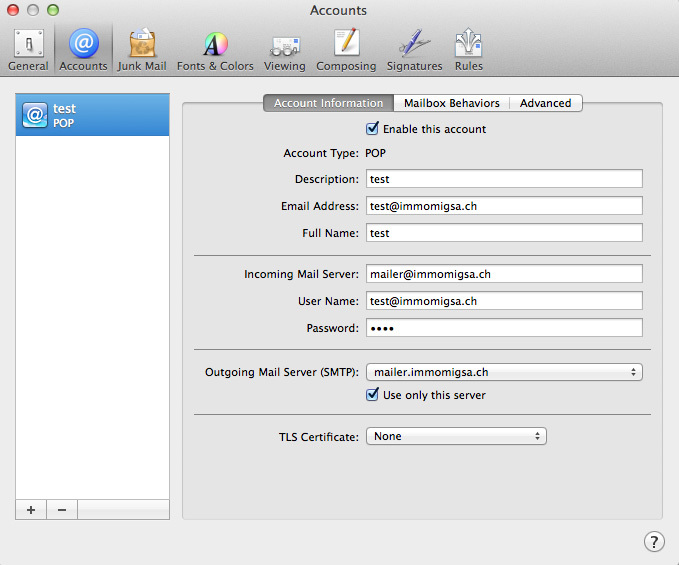
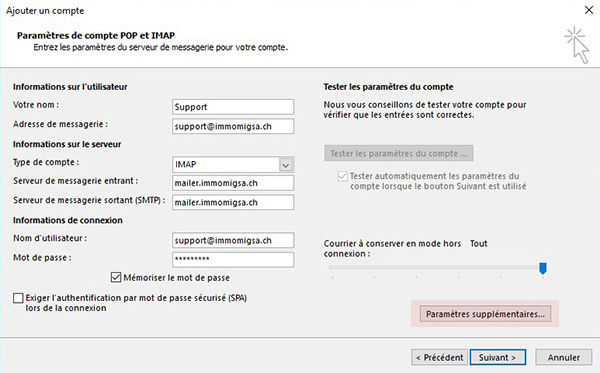
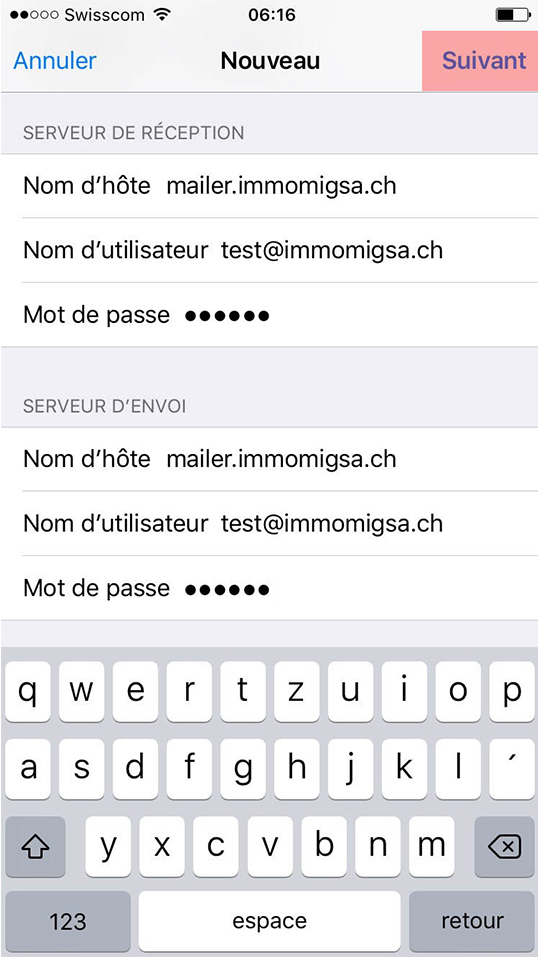
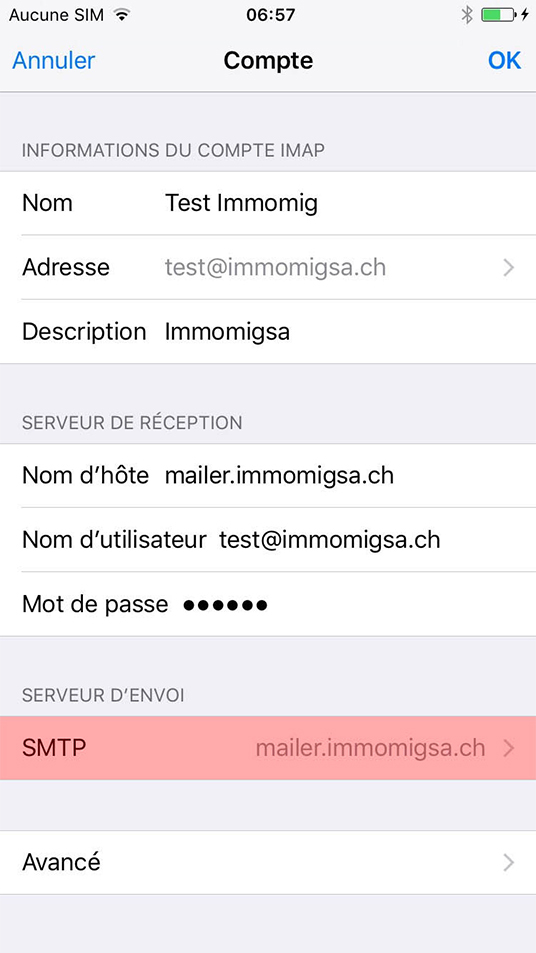
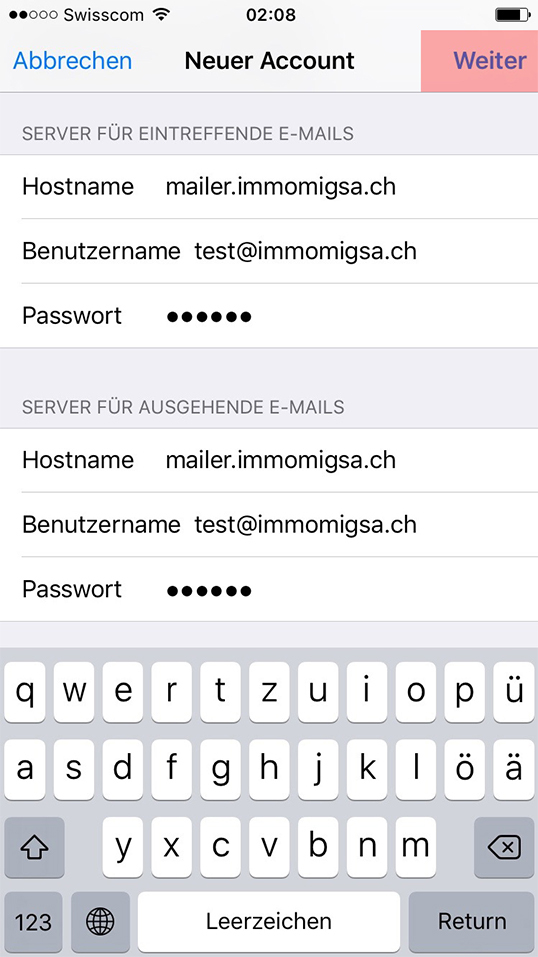
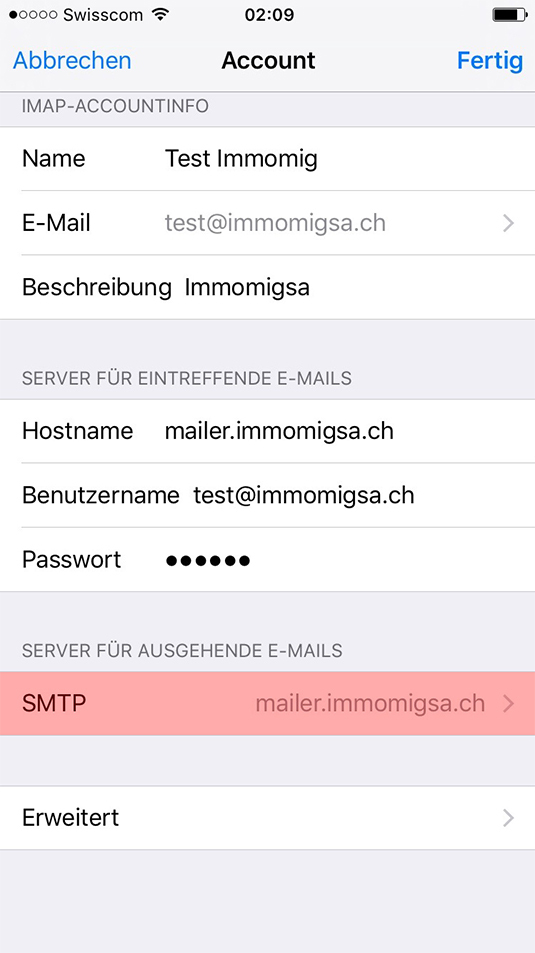
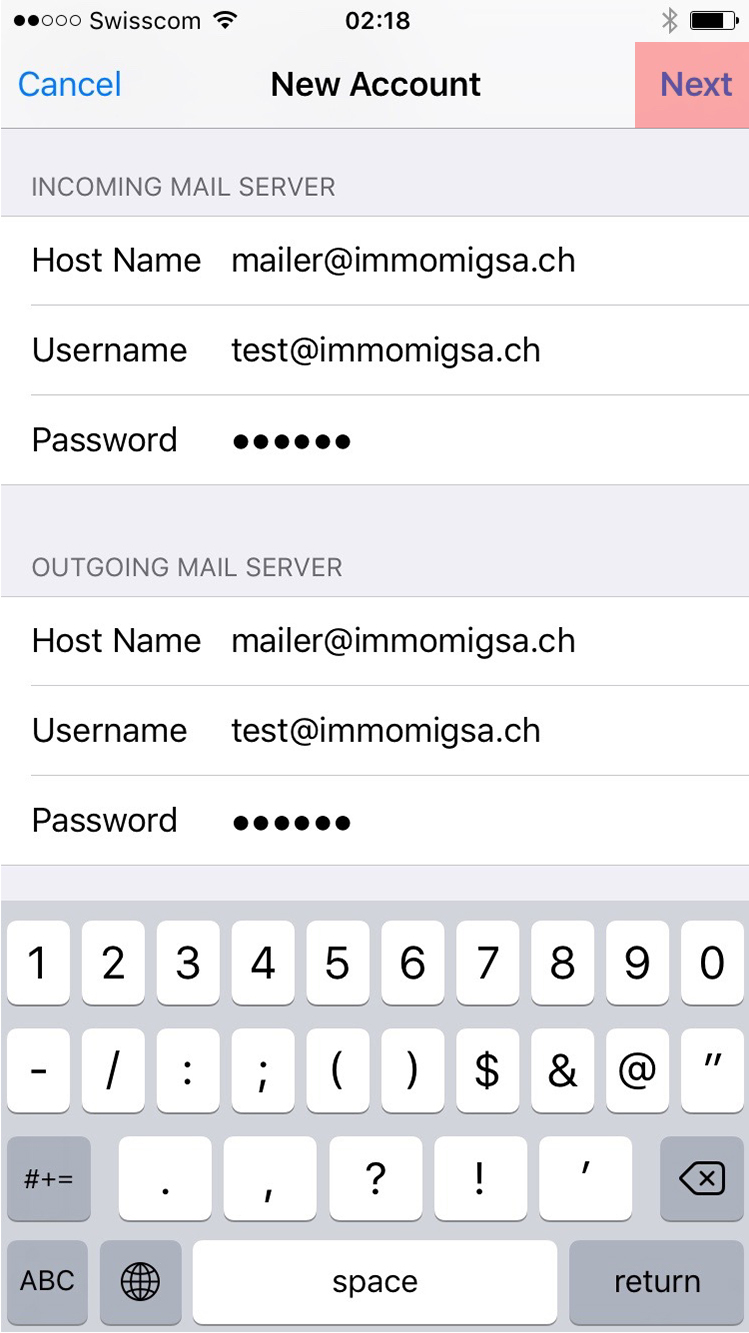
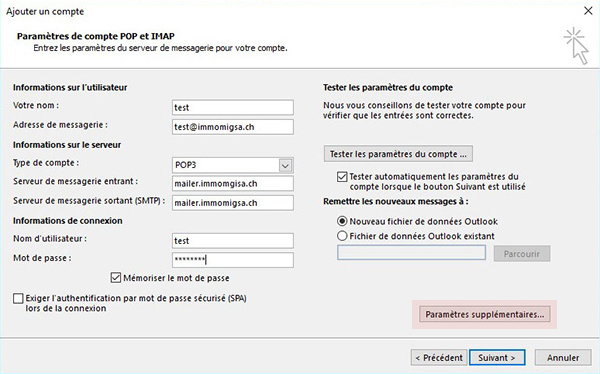
- Email address: test@immomigsa.ch (add your email address)
- User name: test@immomigsa.ch
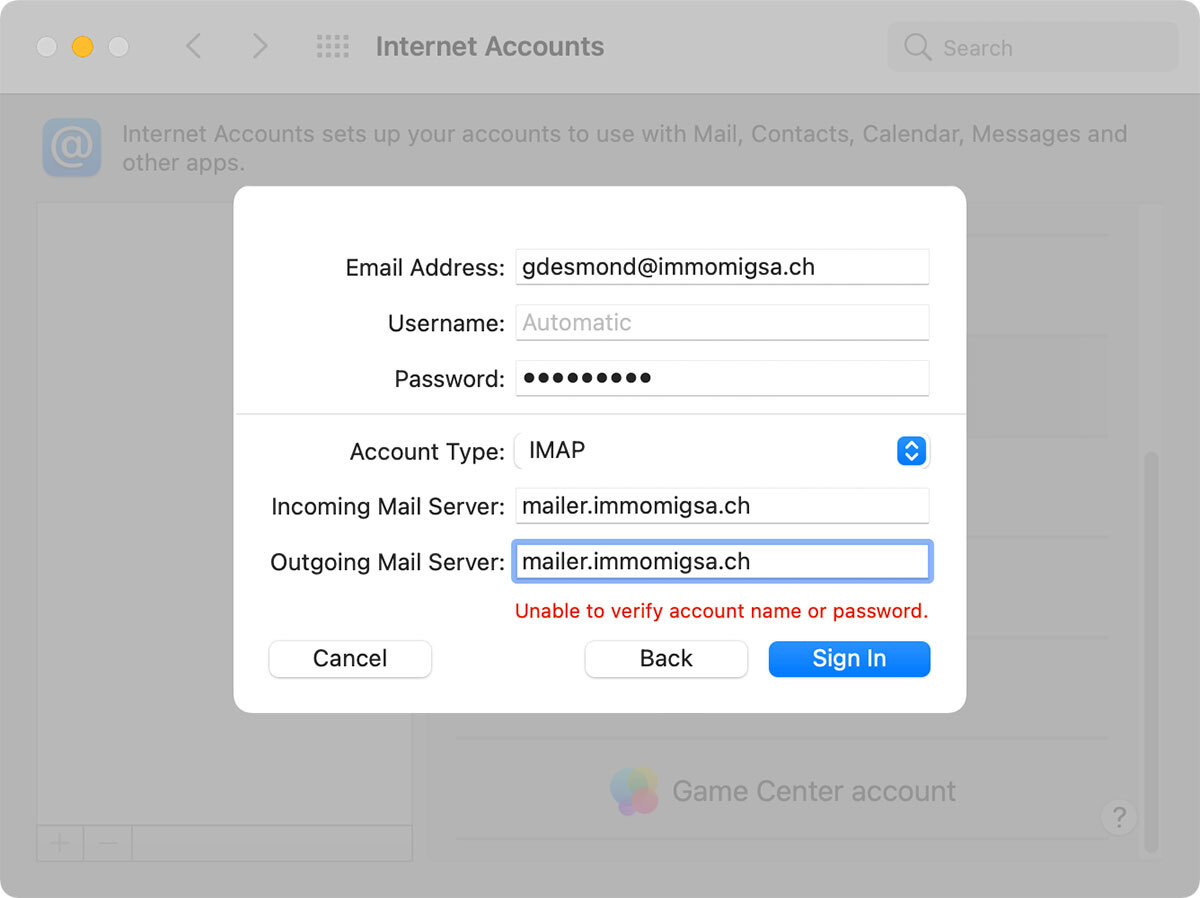
- POP or IMAP incoming server: mailer.immomigsa.ch
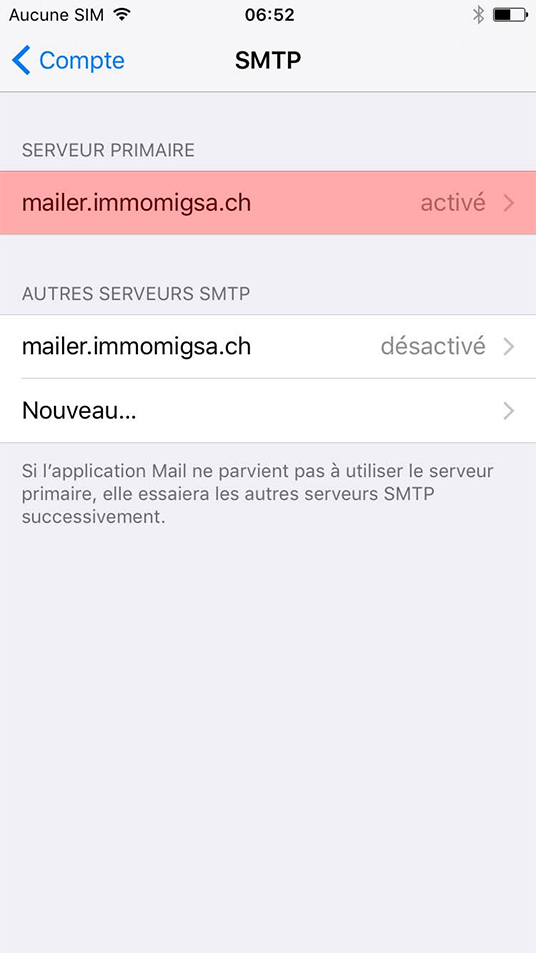
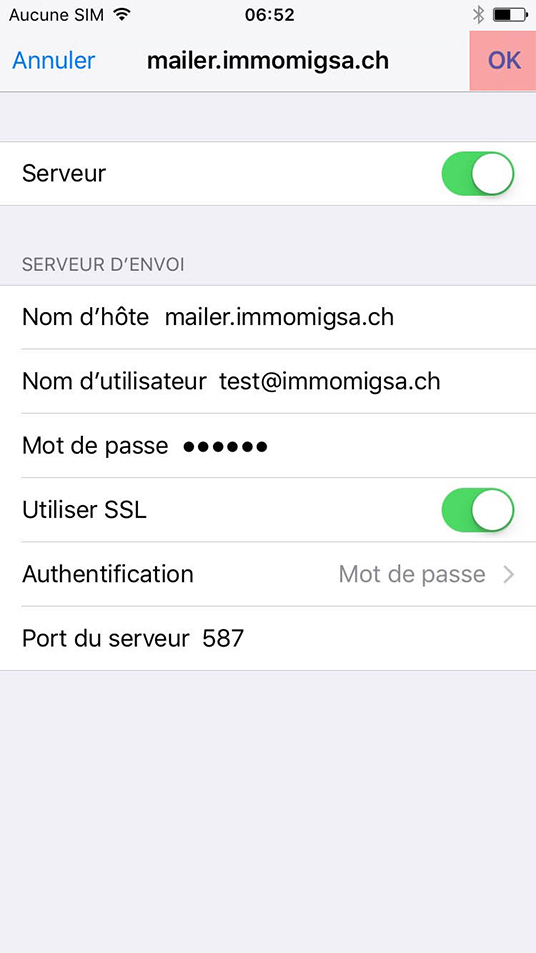
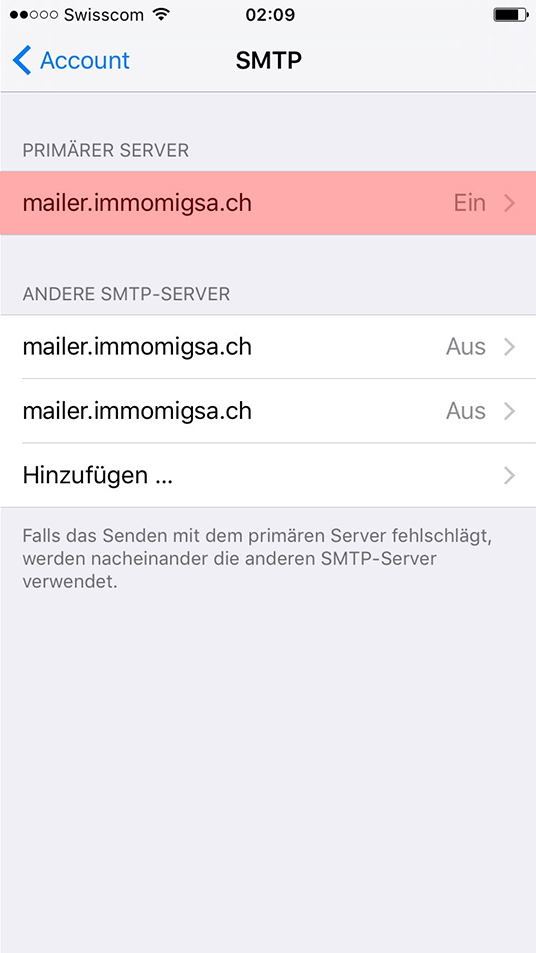
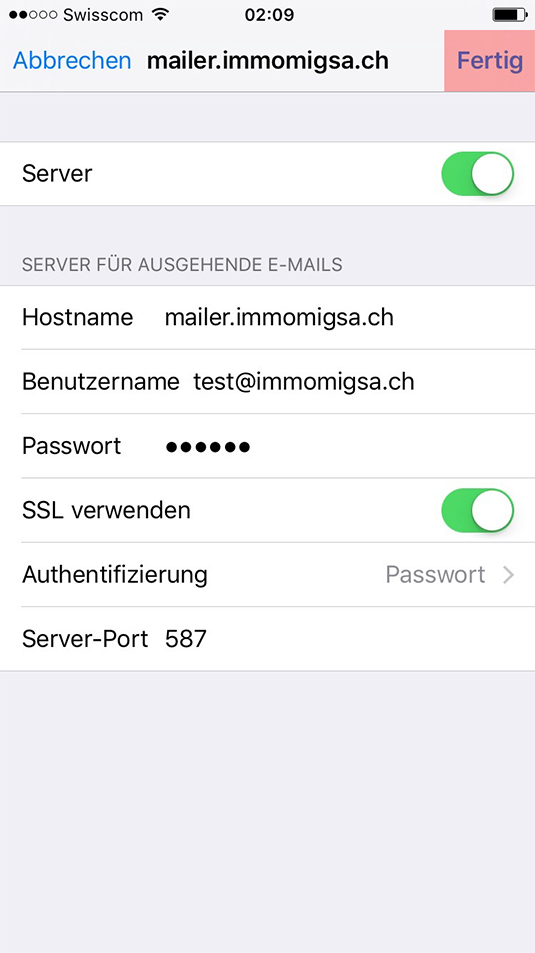
- SMTP outgoing server: mailer.immomigsa.ch
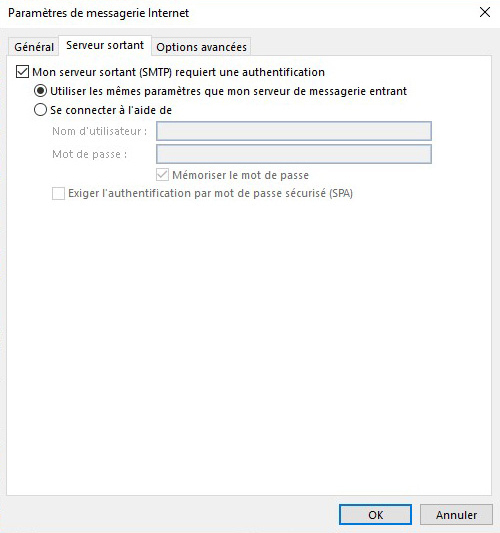
- (CAUTION: use authentication)
Advices
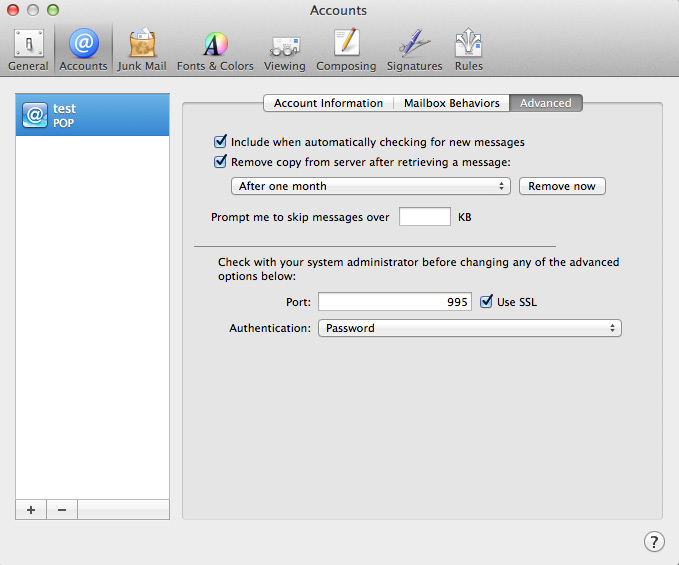
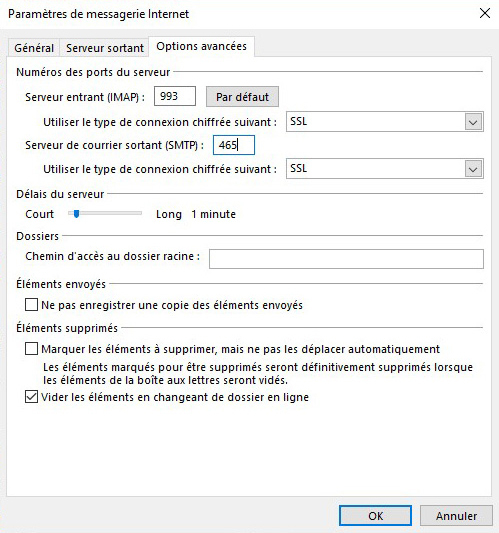
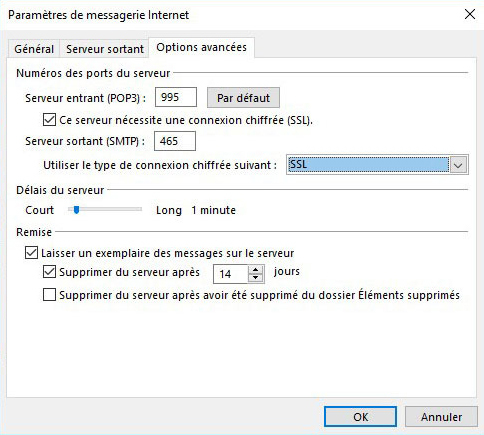
- Activate SSL cryptographic protocol for retrieving messages
- Leave a copy of messages on the server for 30 days
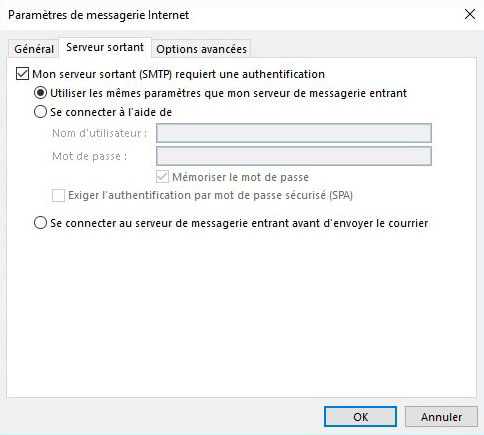
- SMTP (message sending) with authentication
- For authentication when sending messages, the user name is the email address and the password is the same as for incoming messages
Settings
Links to online inboxes
Email client configuration
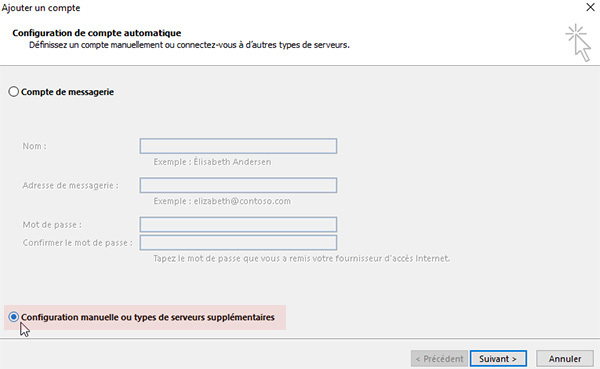
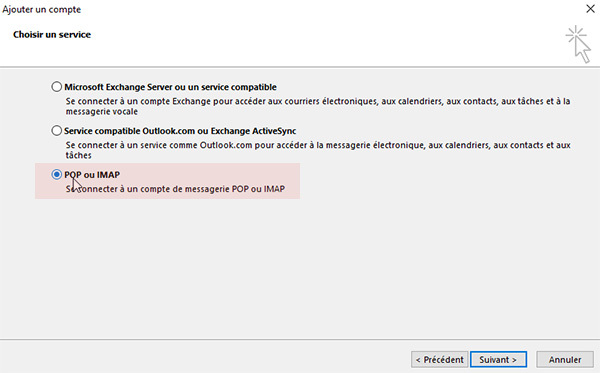
See how to configure your email below with step-by-step images for your choice of protocol.
IMAP: emails saved and synchronised on all your devices
POP: non-synchronised emails
IMAP: emails saved and synchronised on all your devices
POP: non-synchronised emails
IMAP Configuration
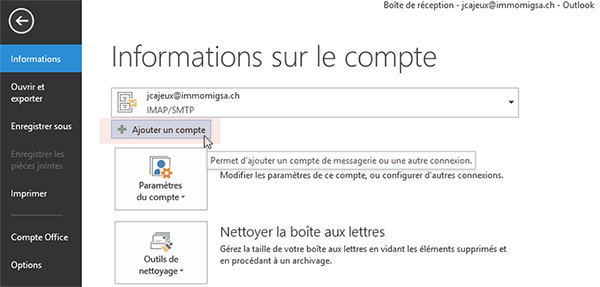
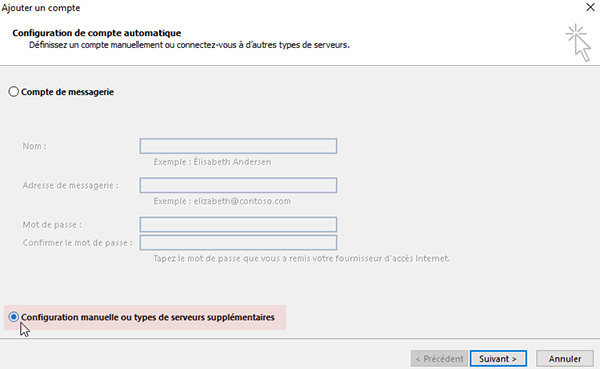
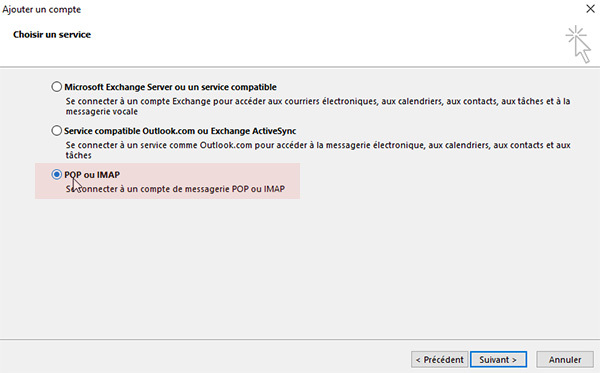
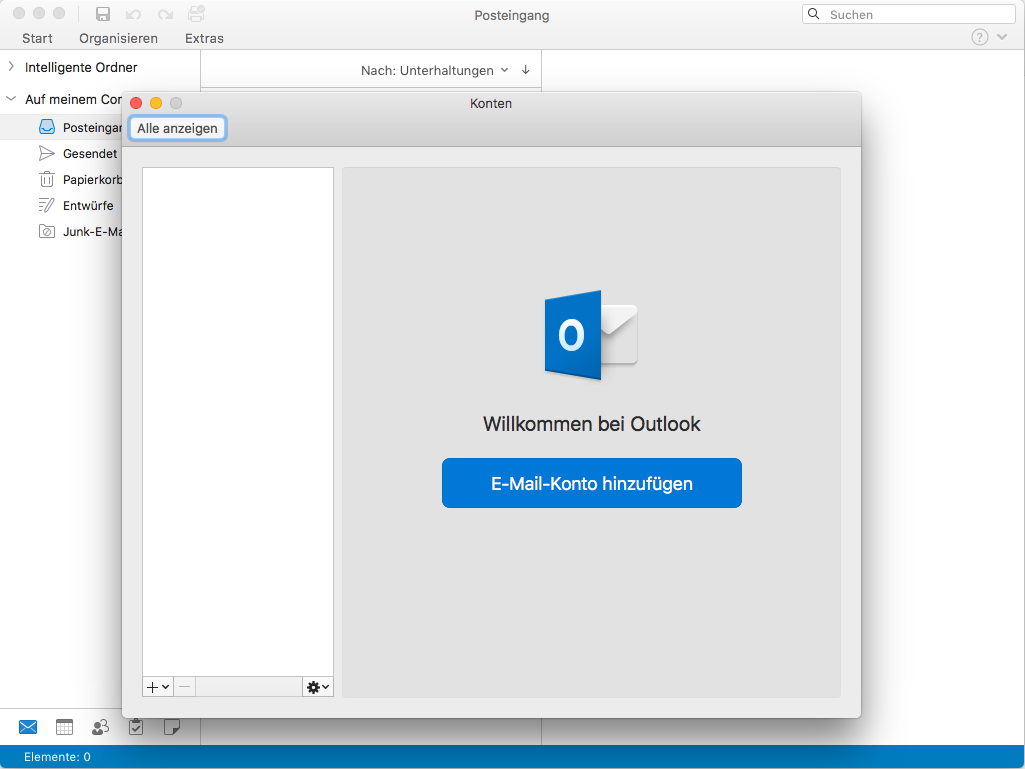
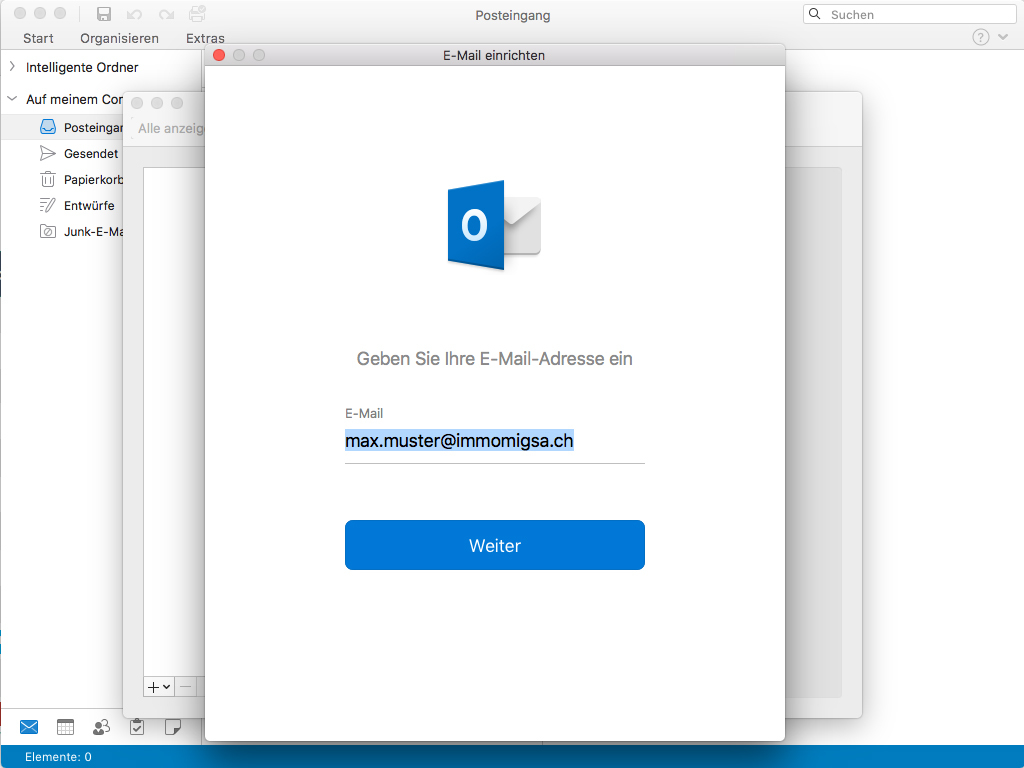
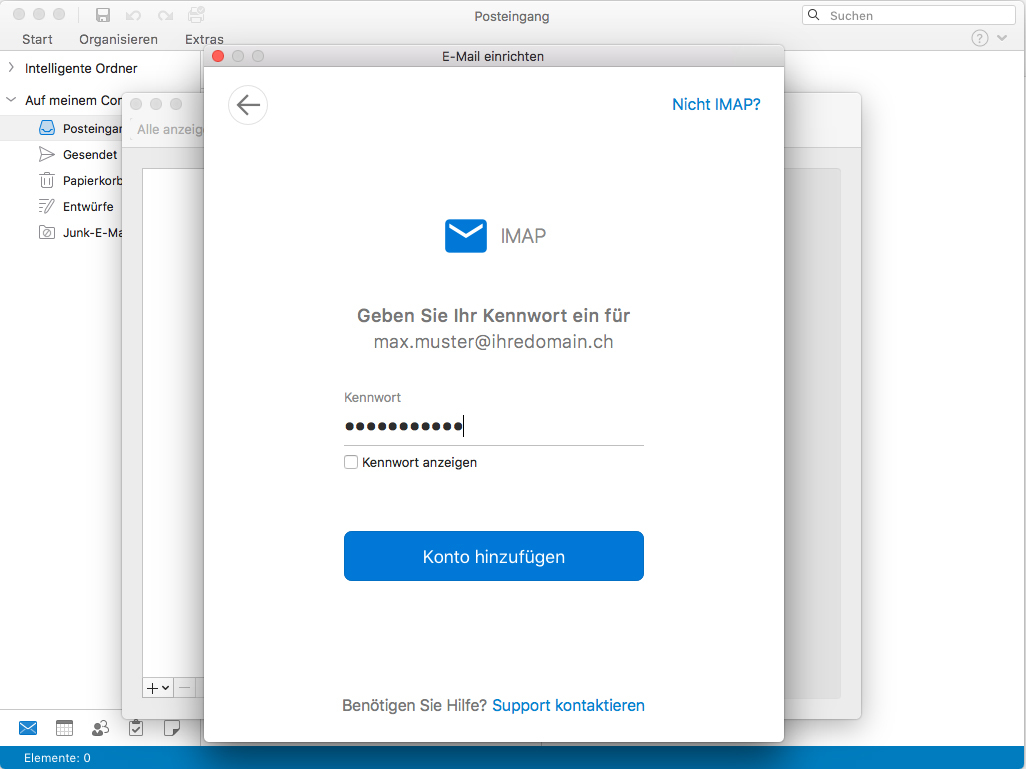
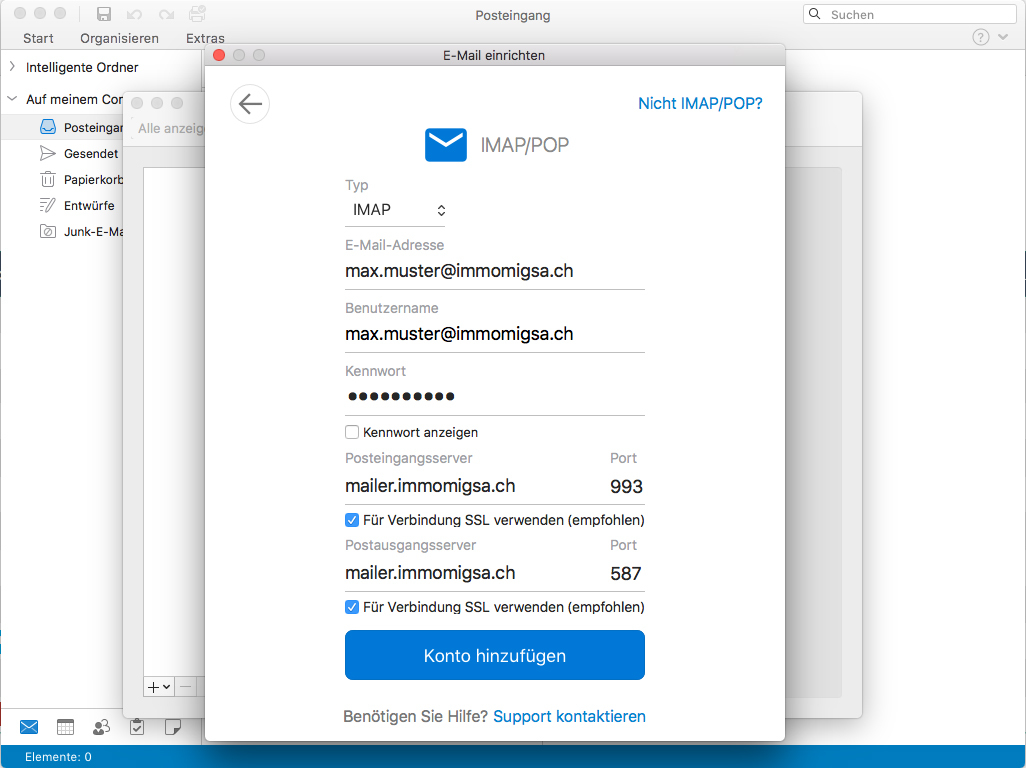
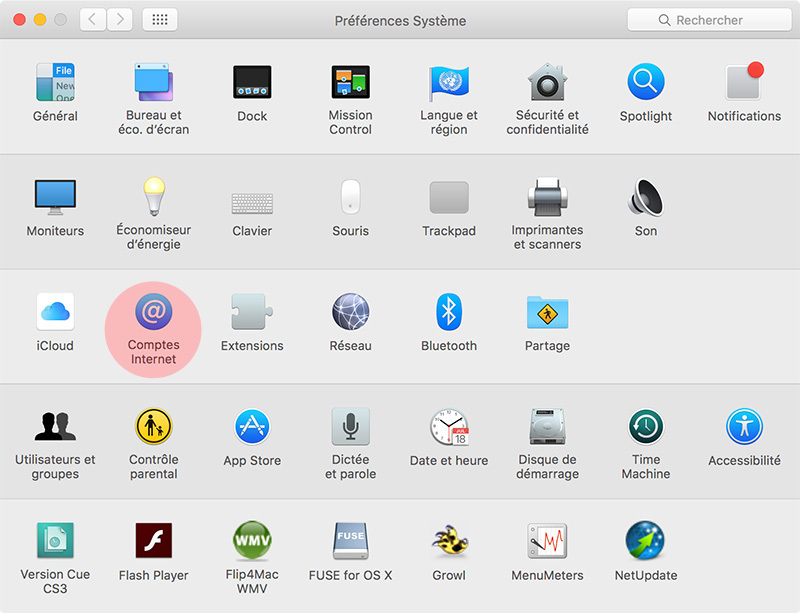
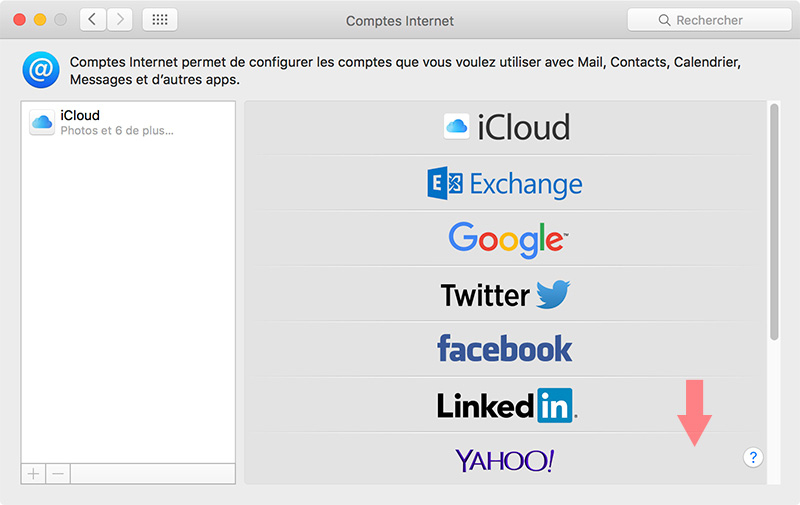
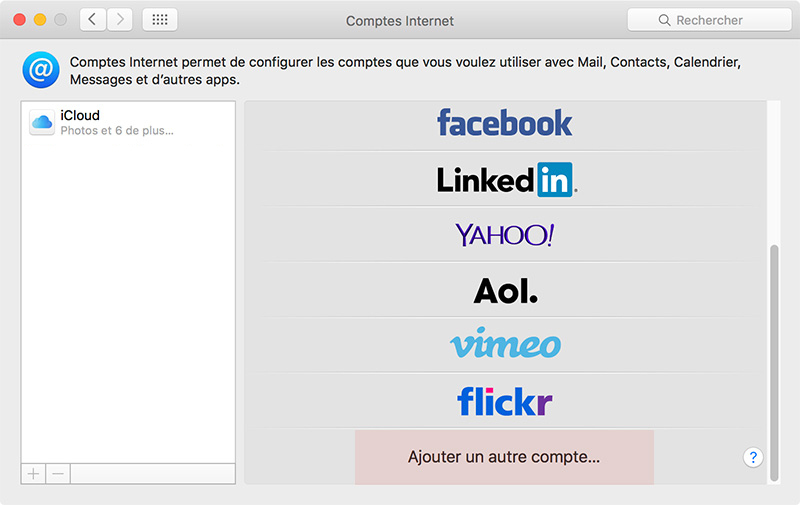
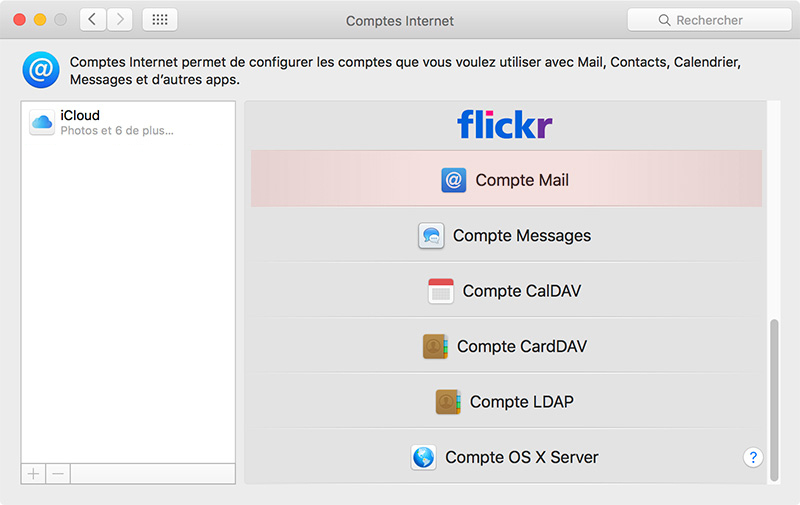
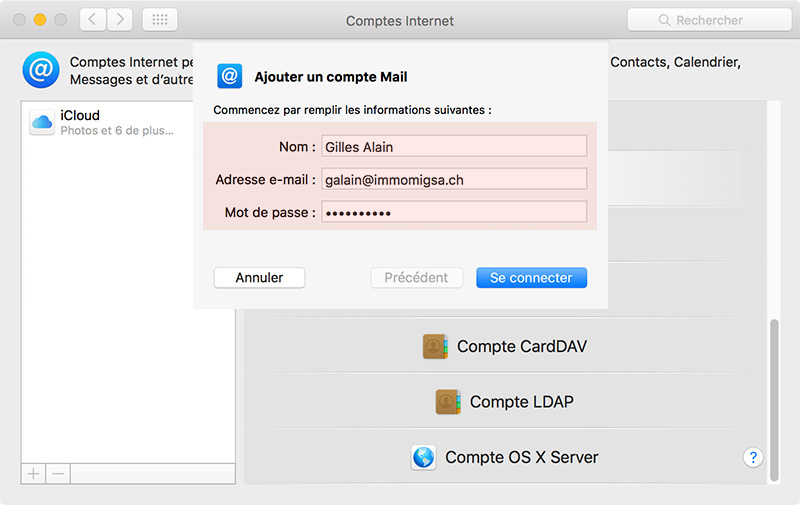
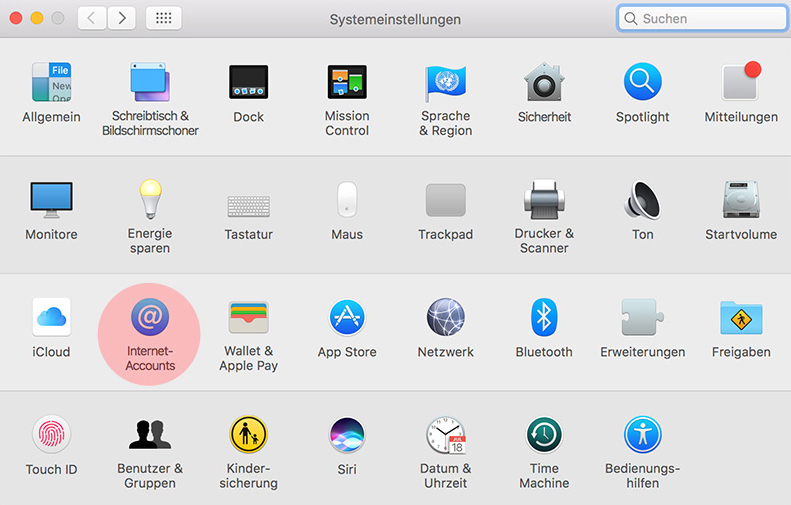
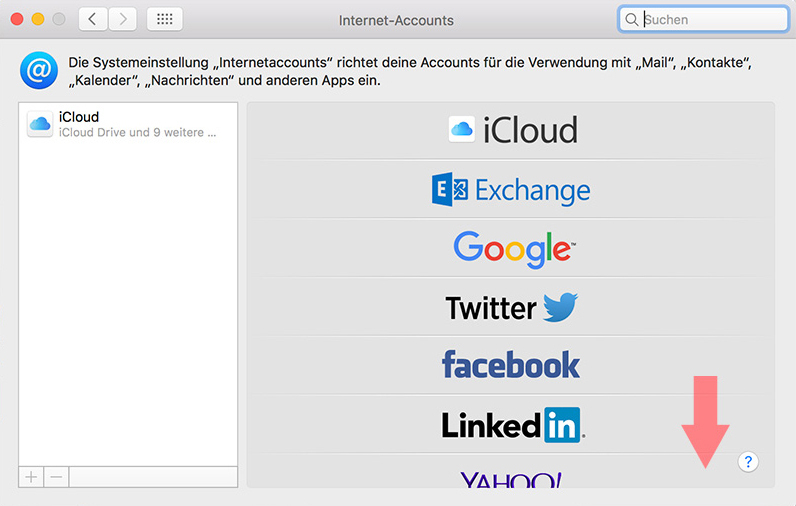
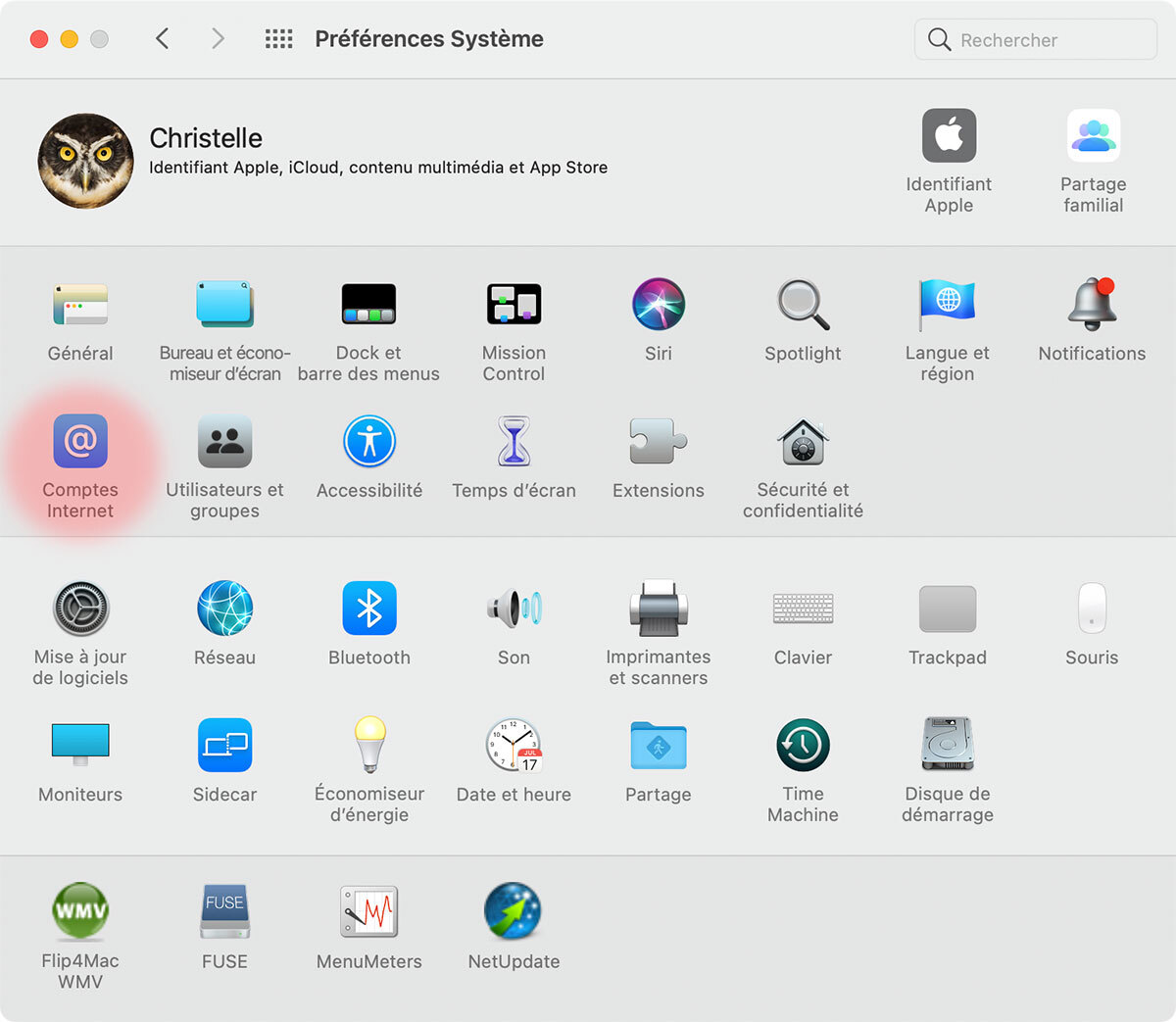
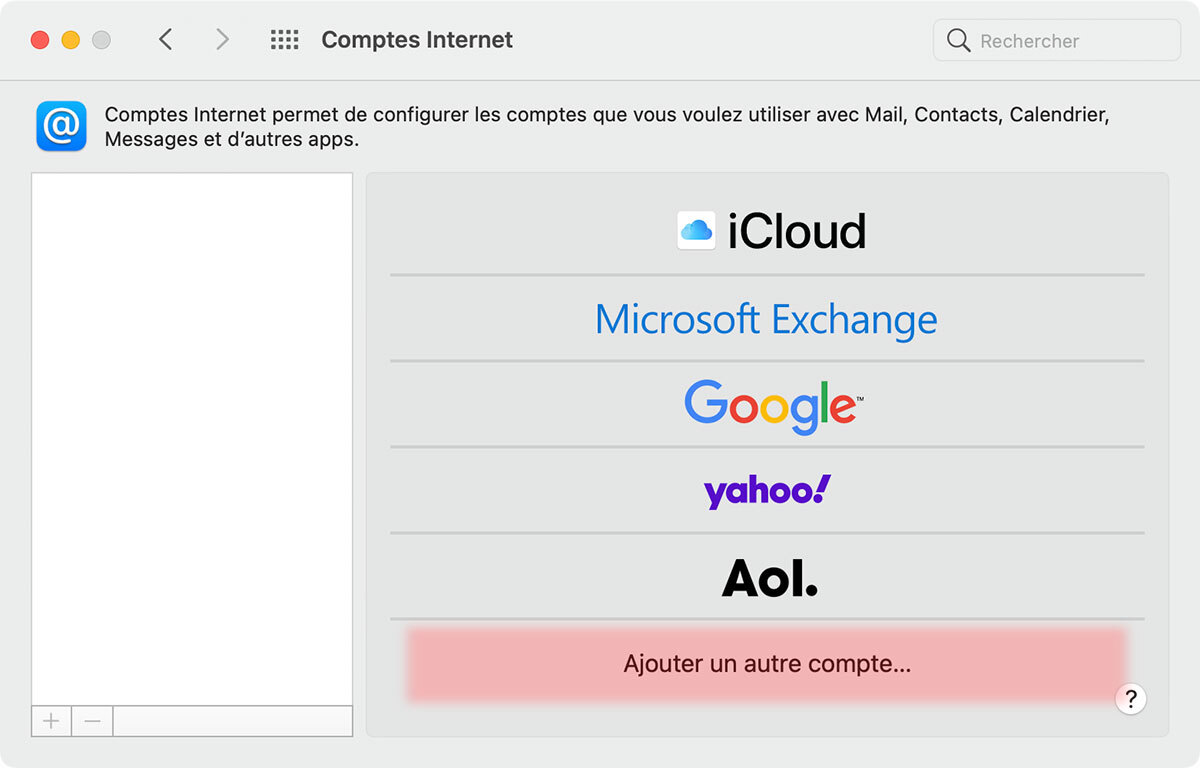
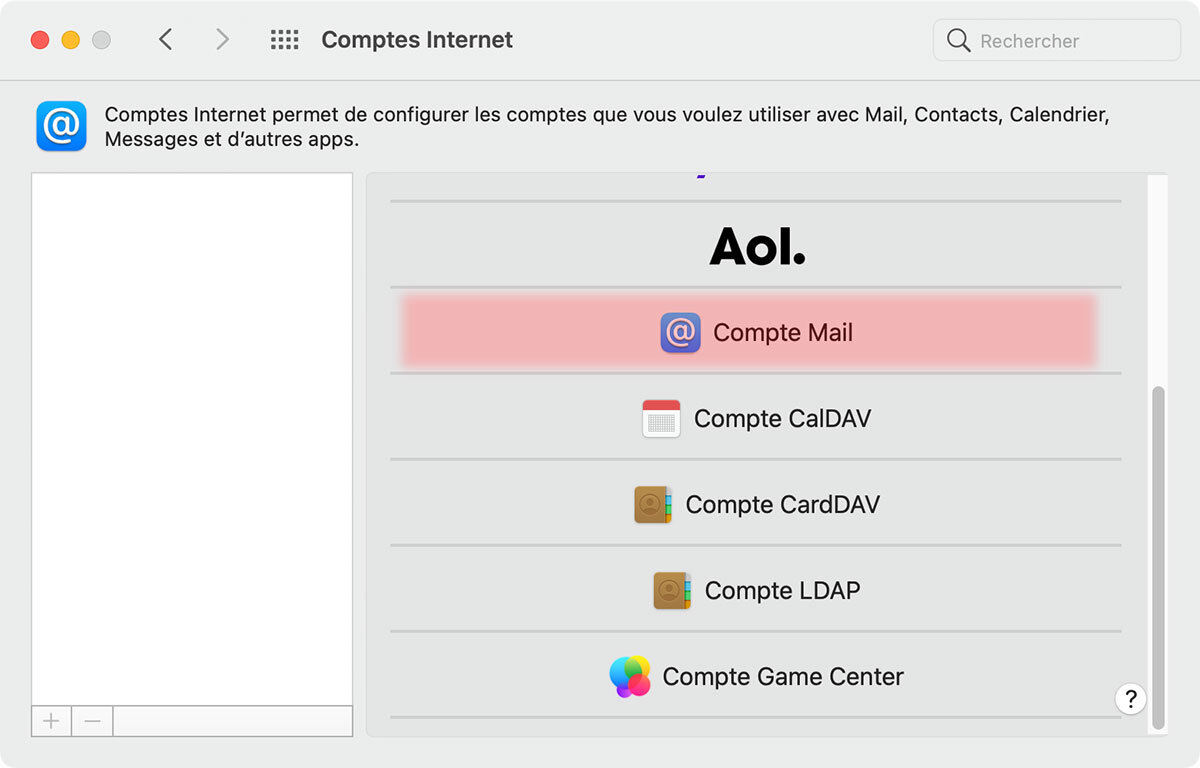
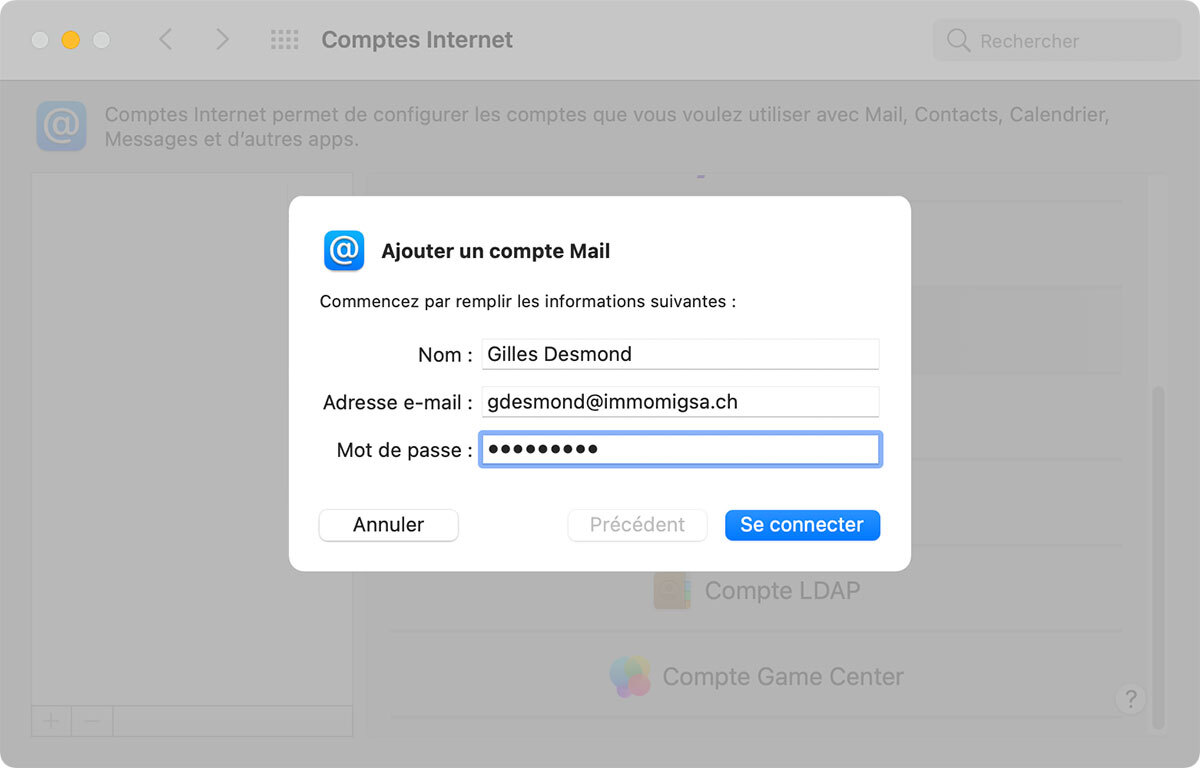
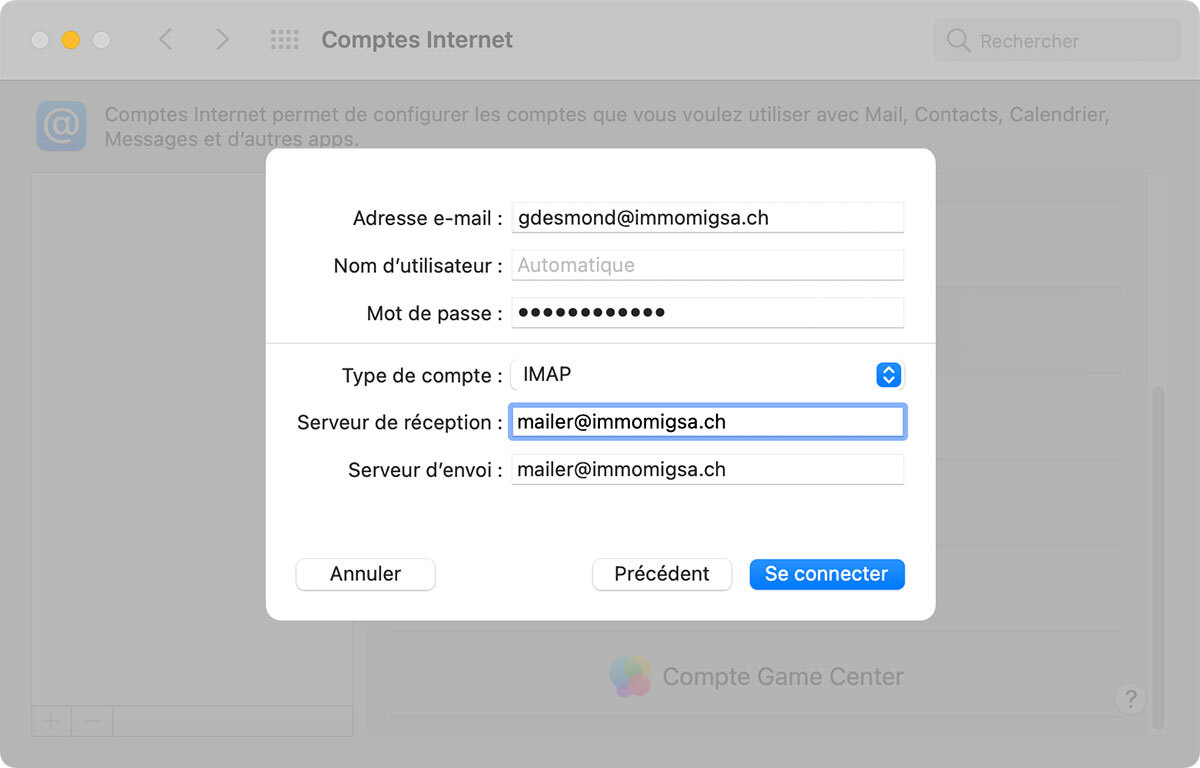
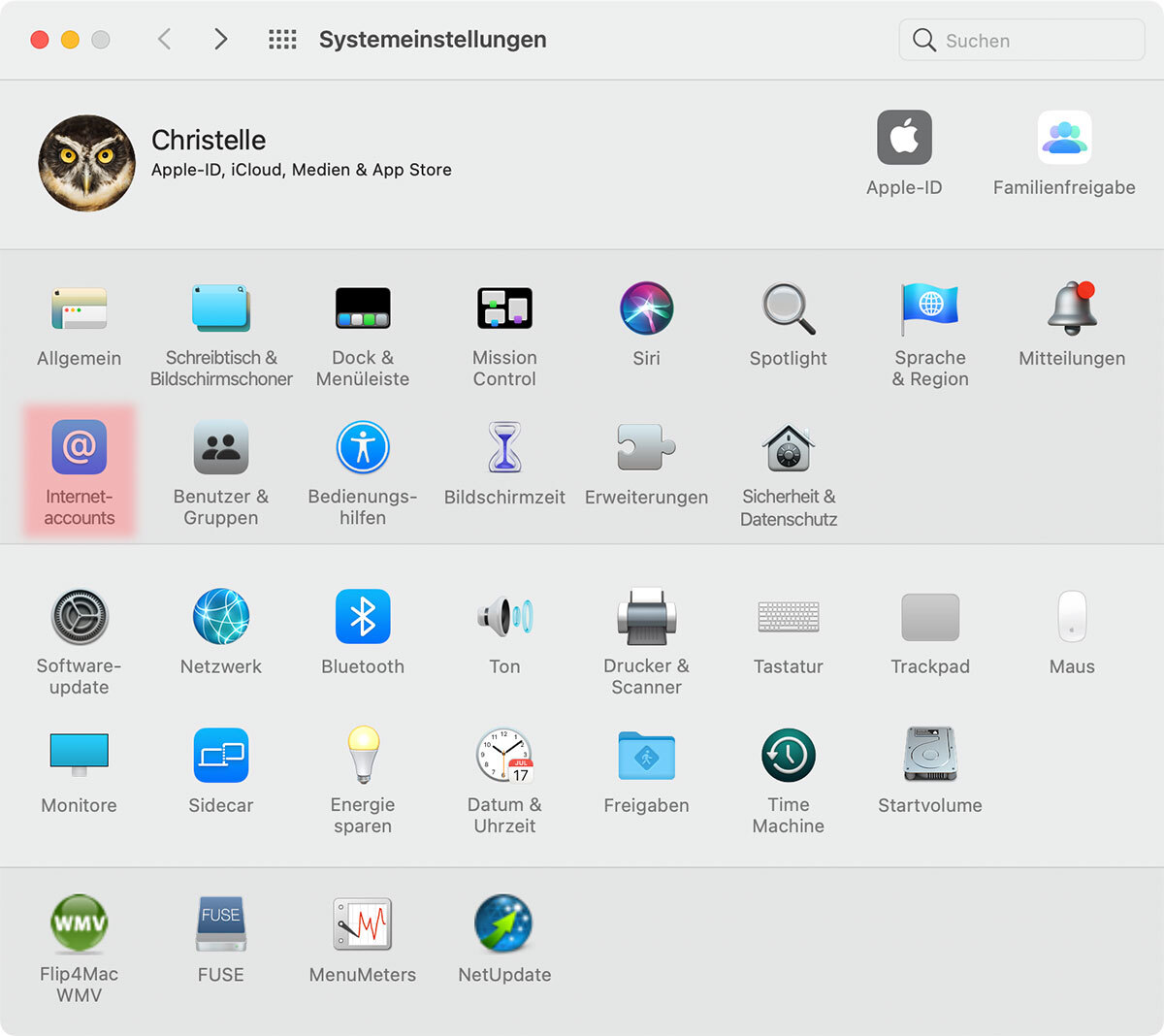
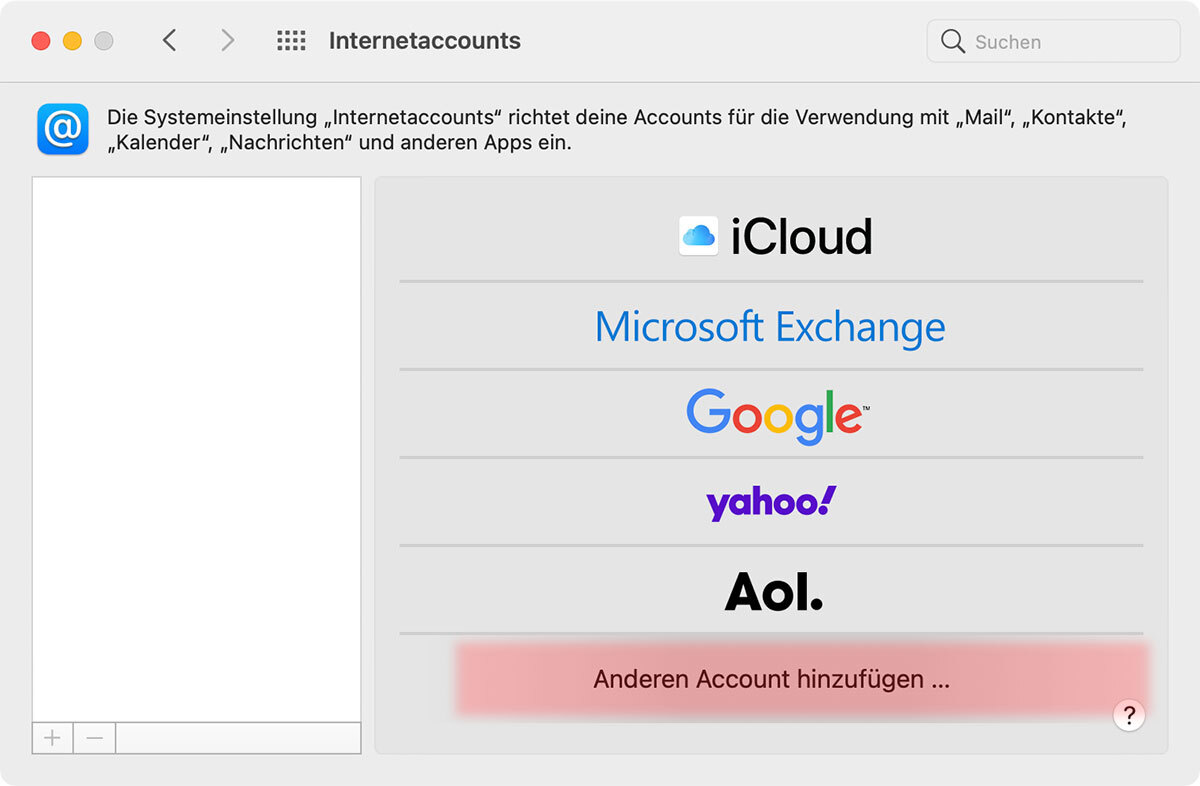
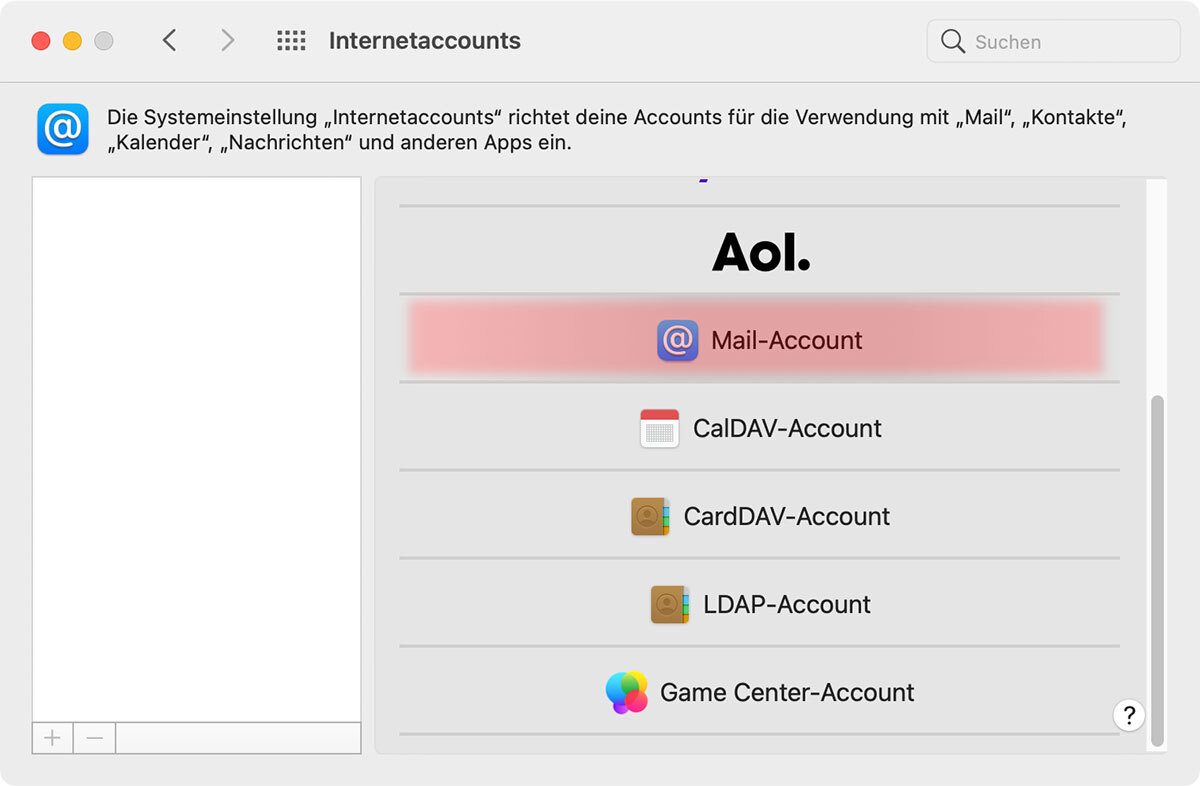
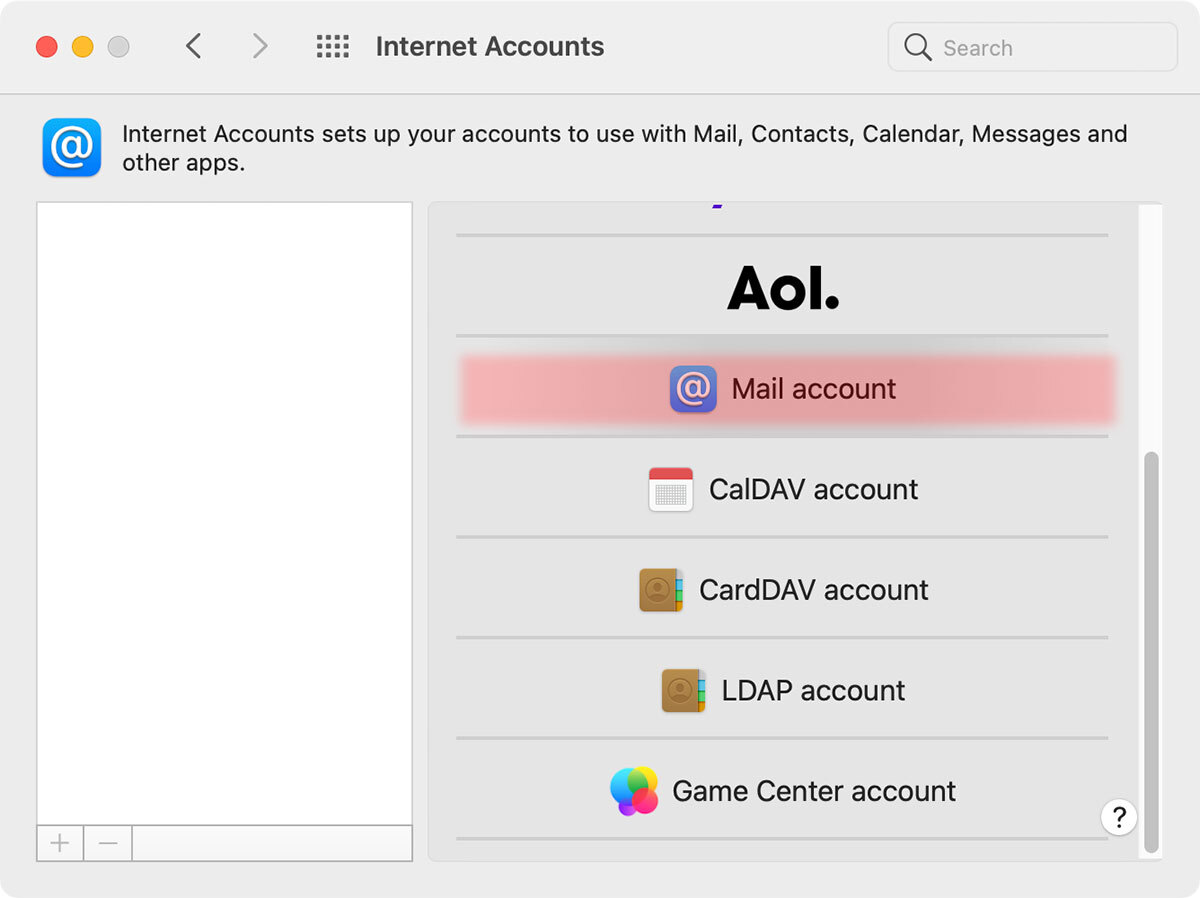
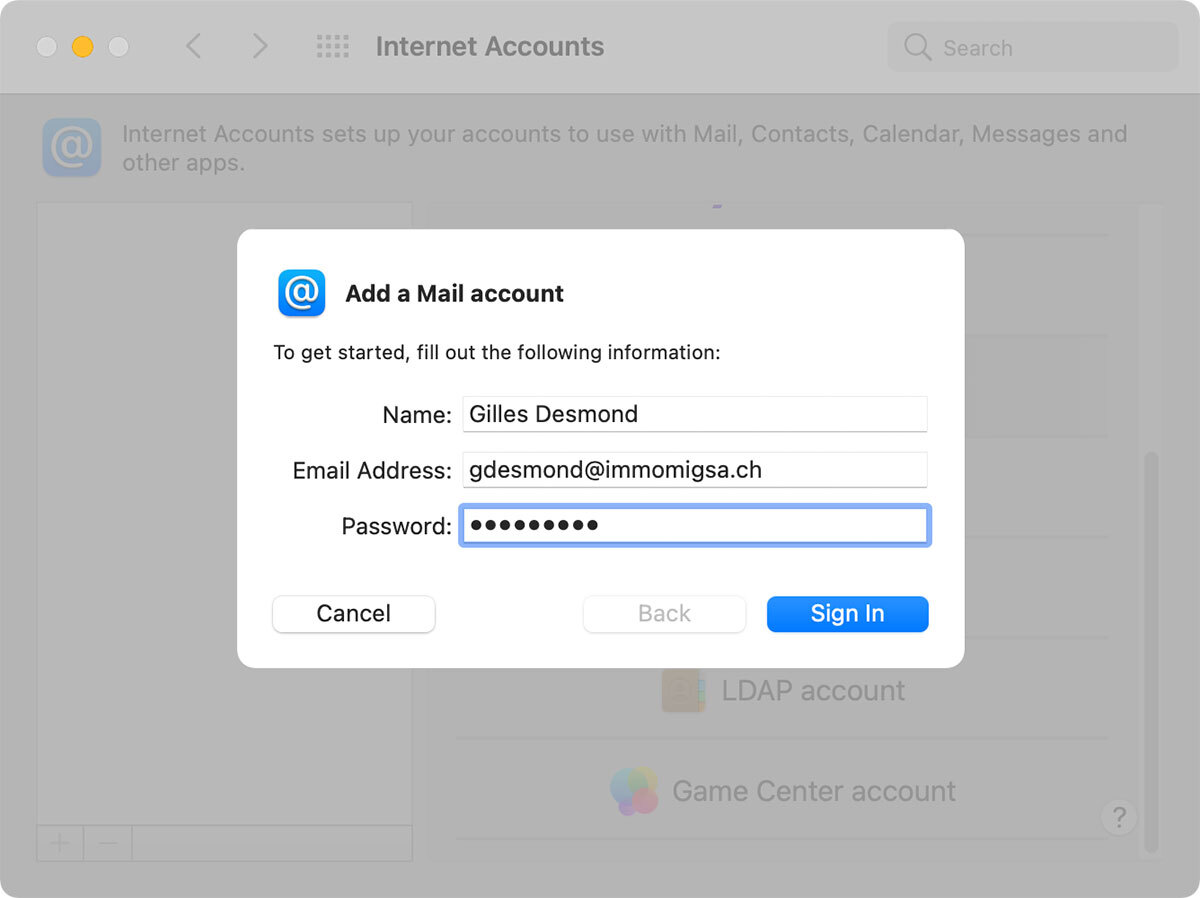
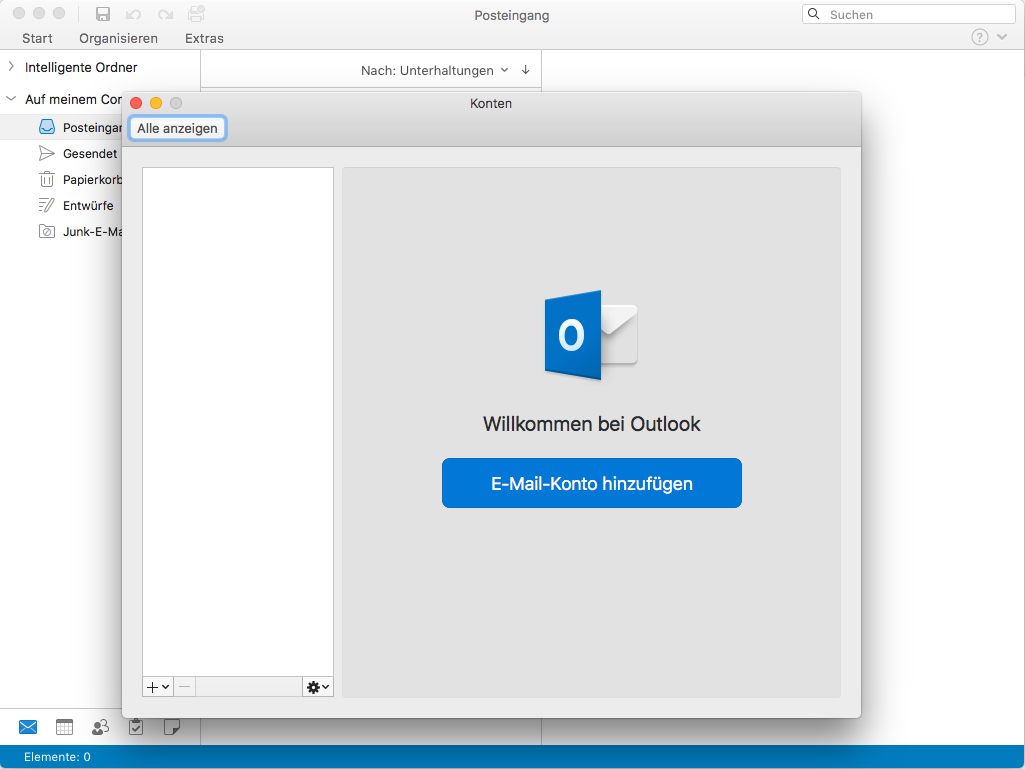
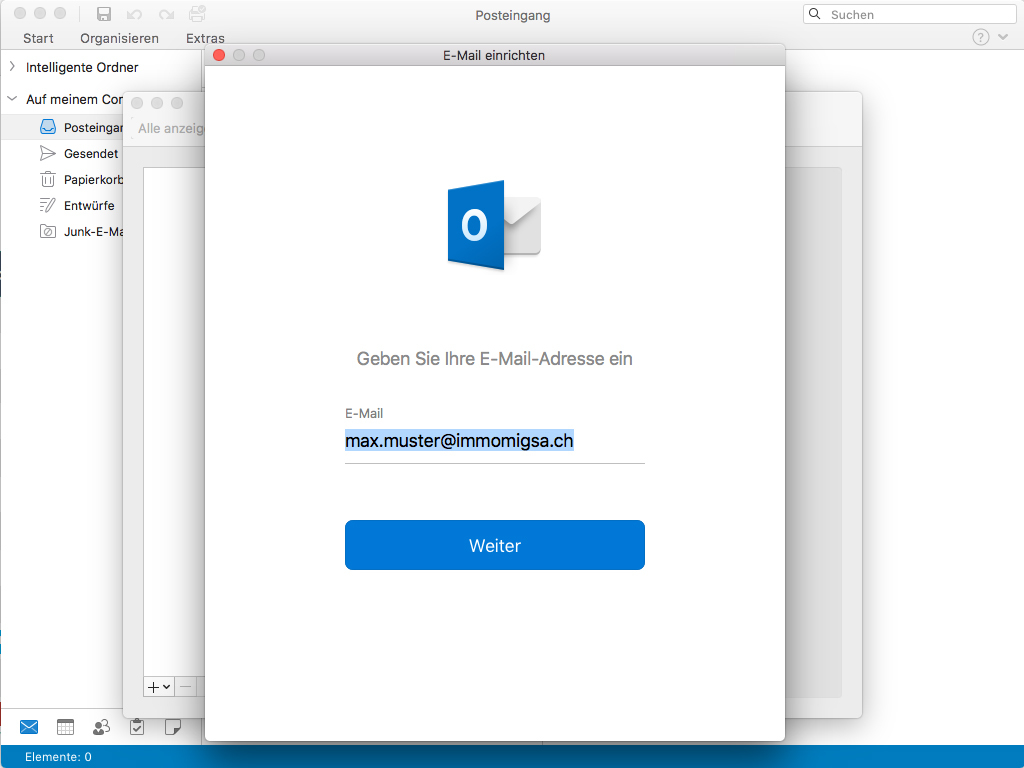
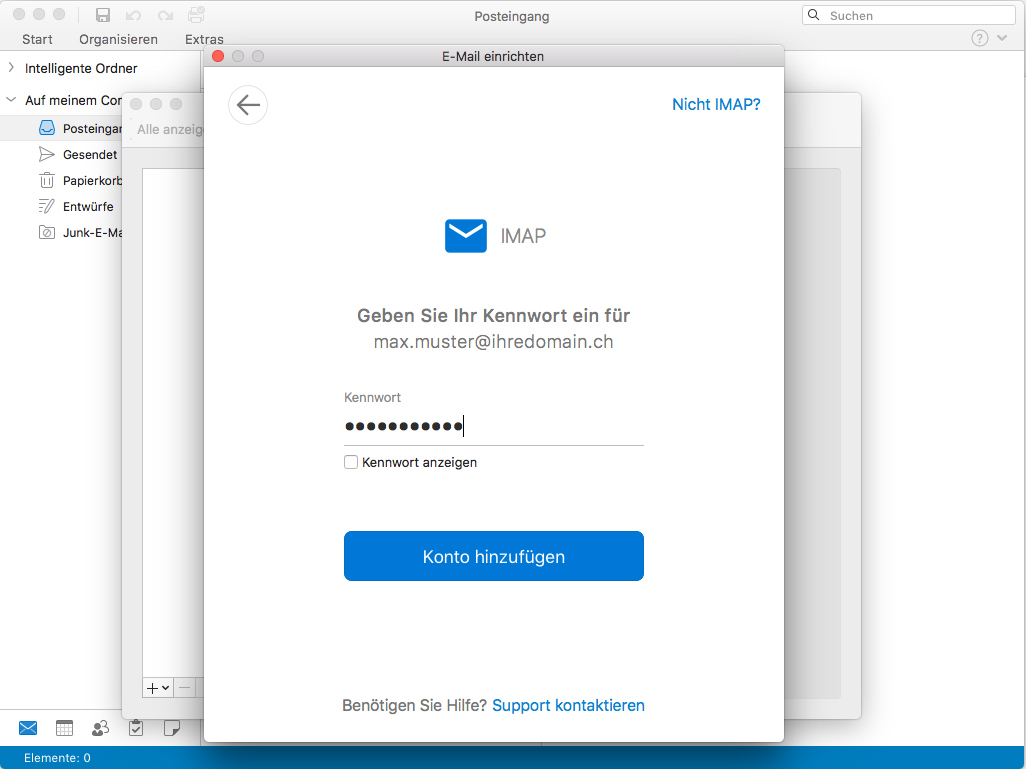
Mac IMAP Setup
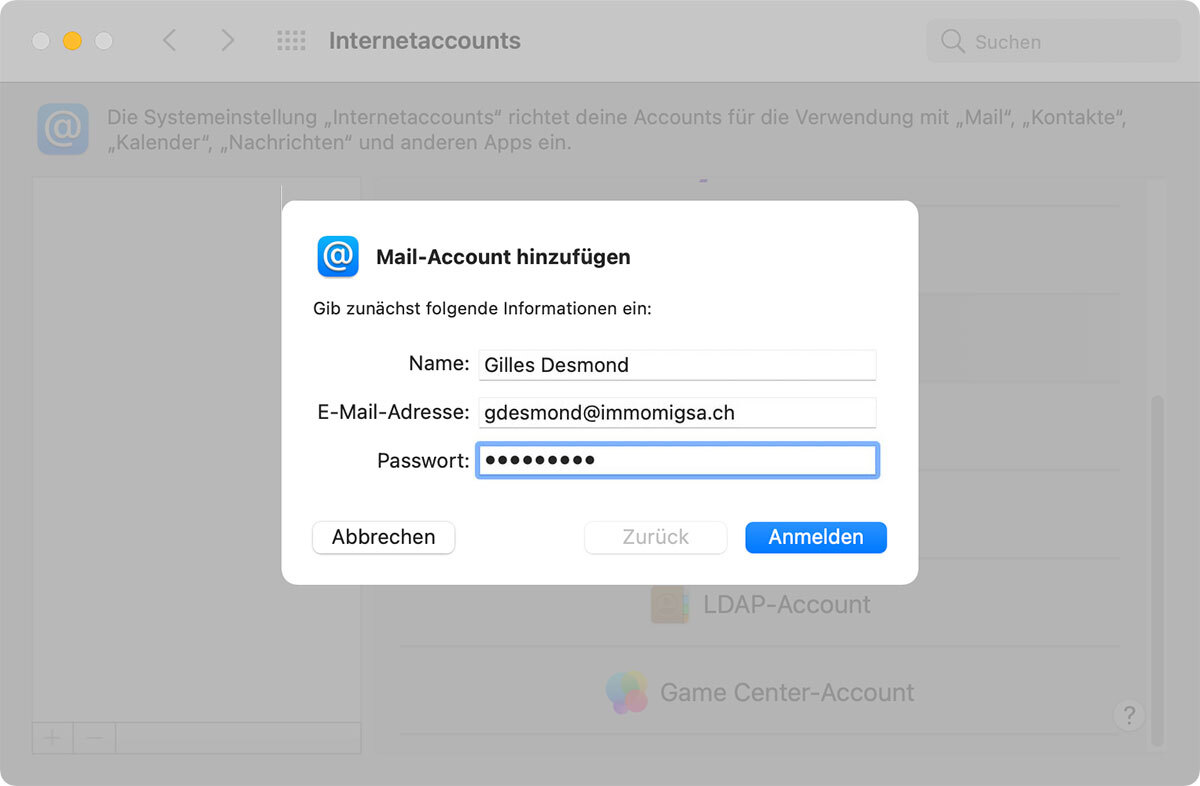
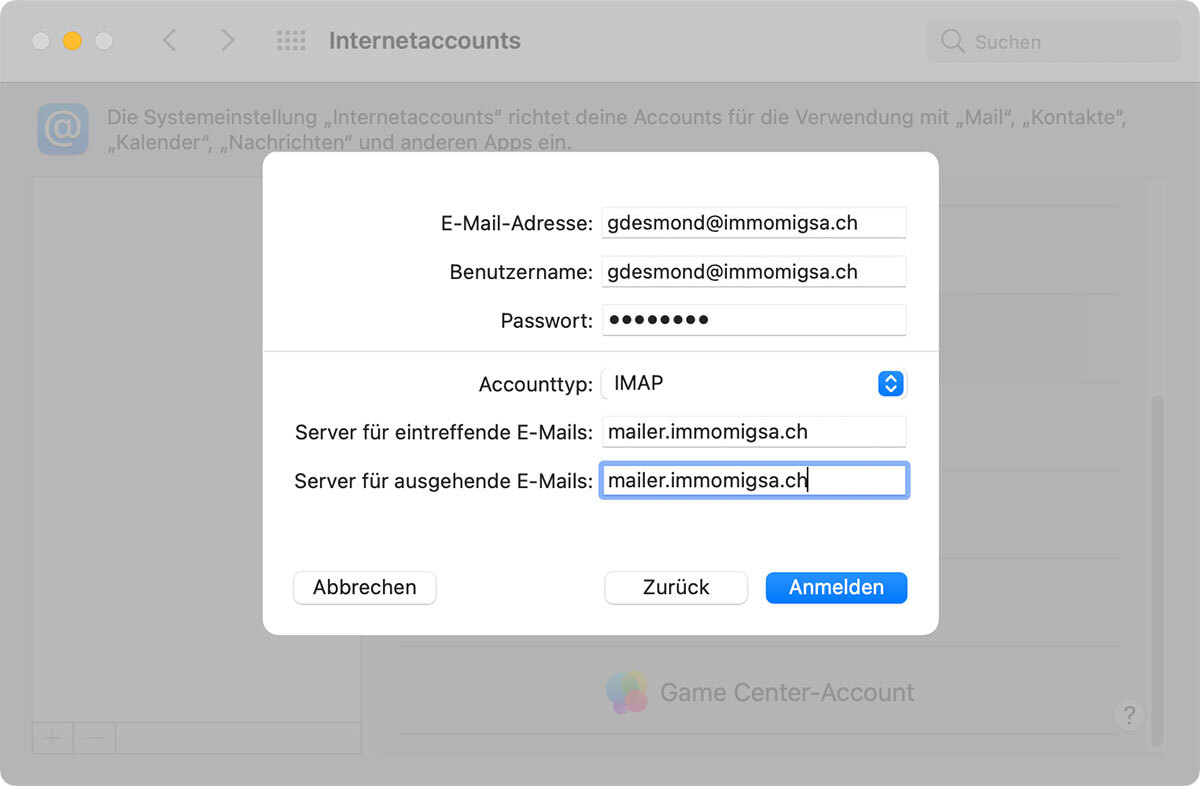
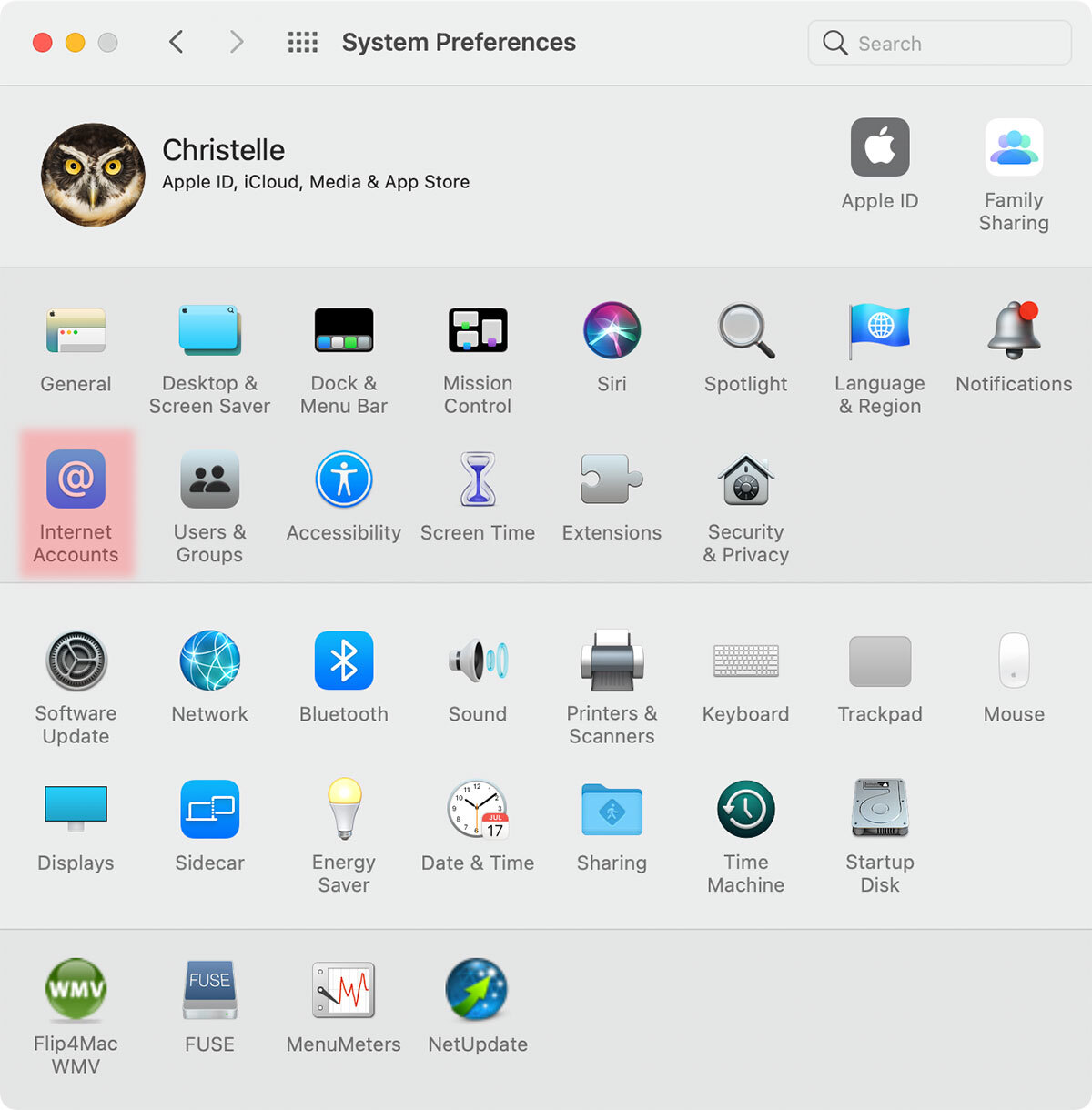
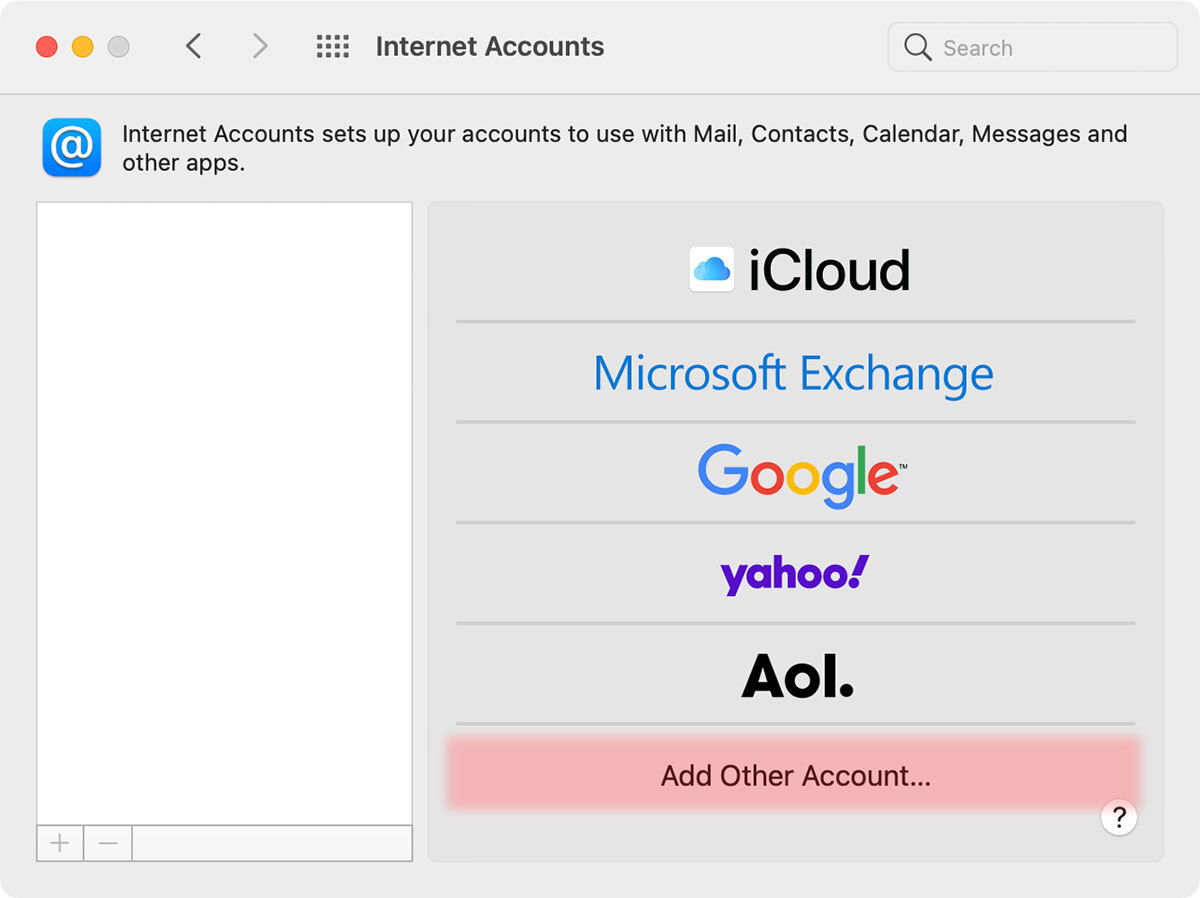
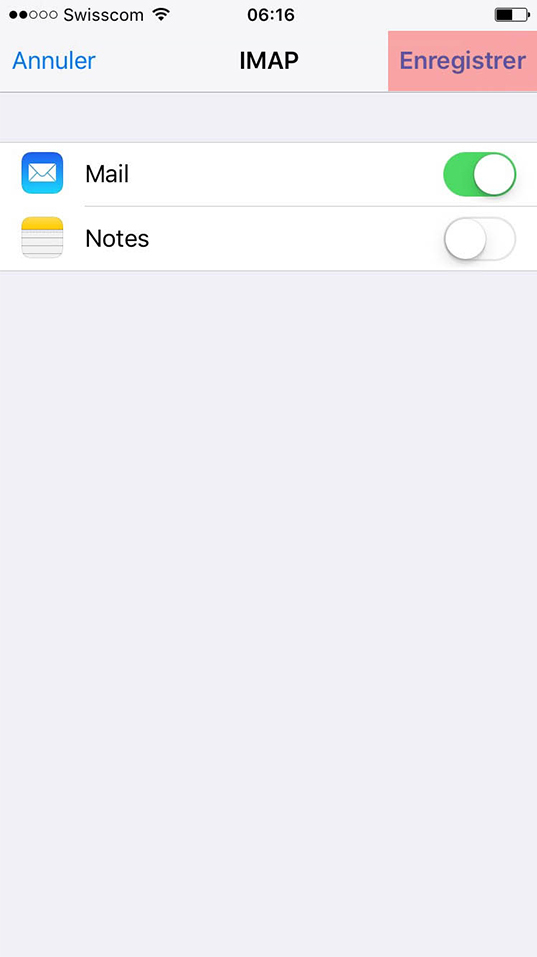
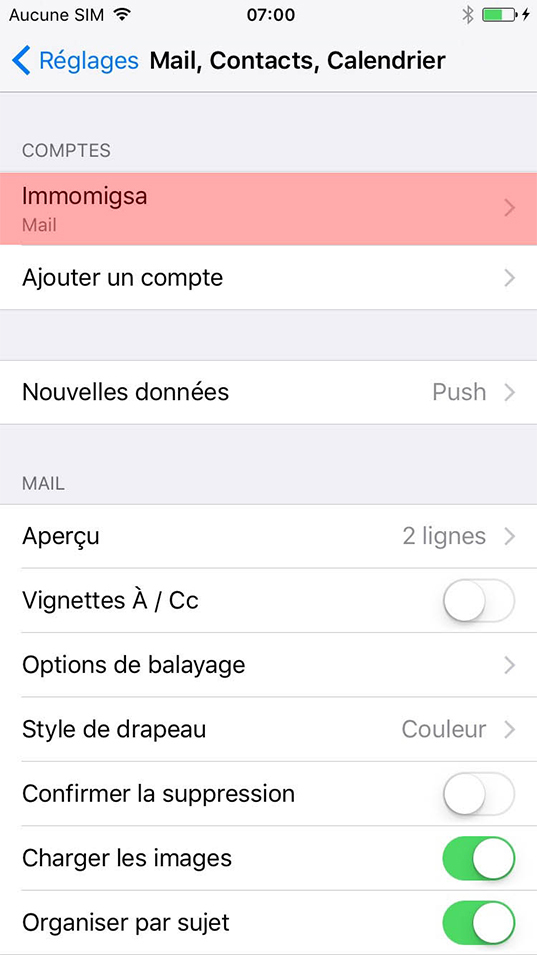
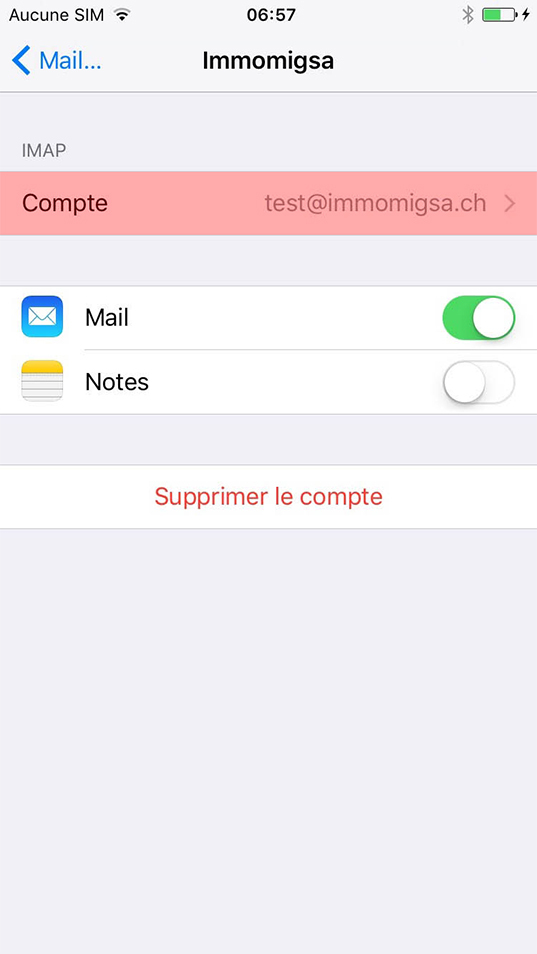
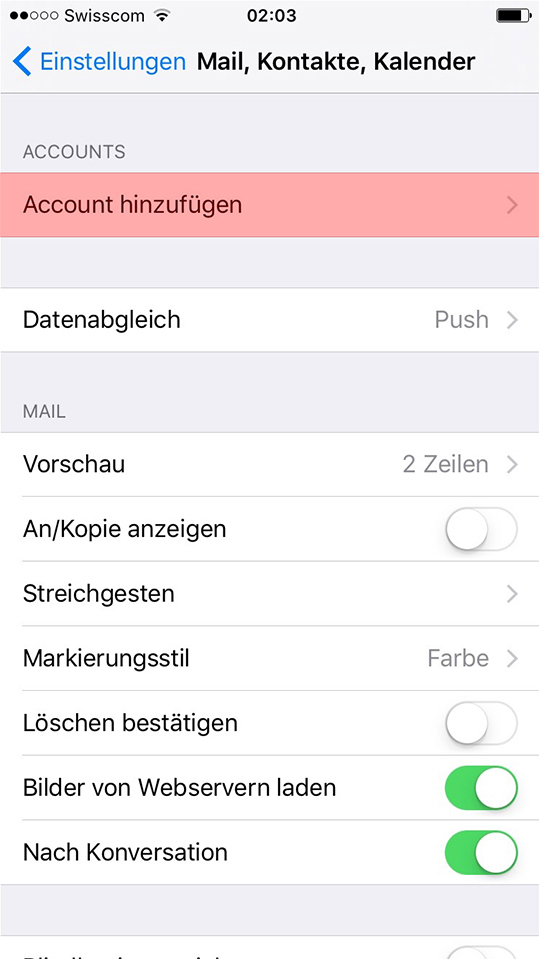
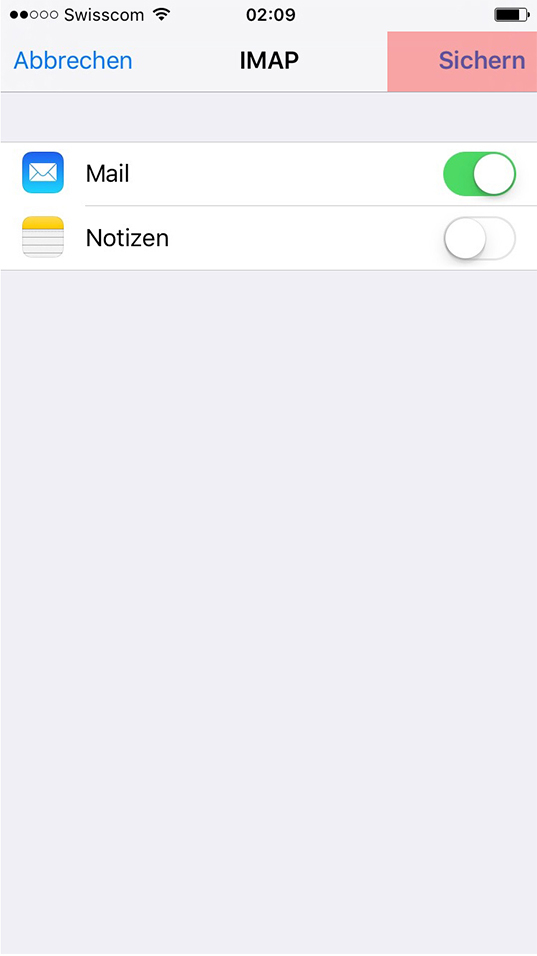
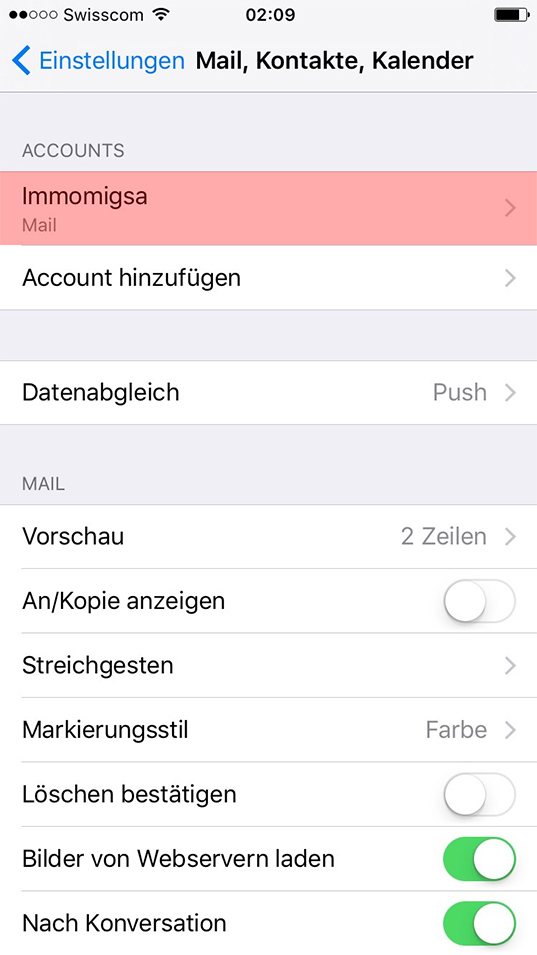
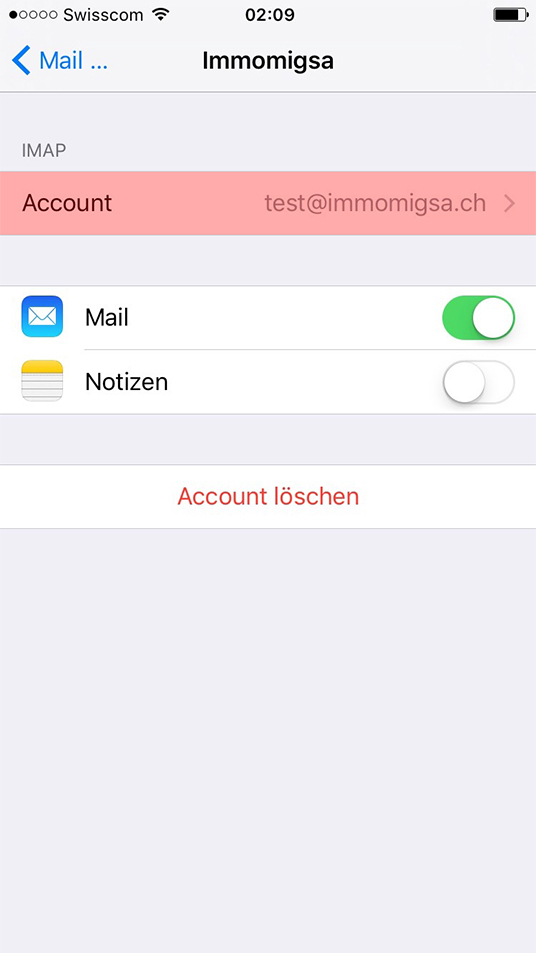
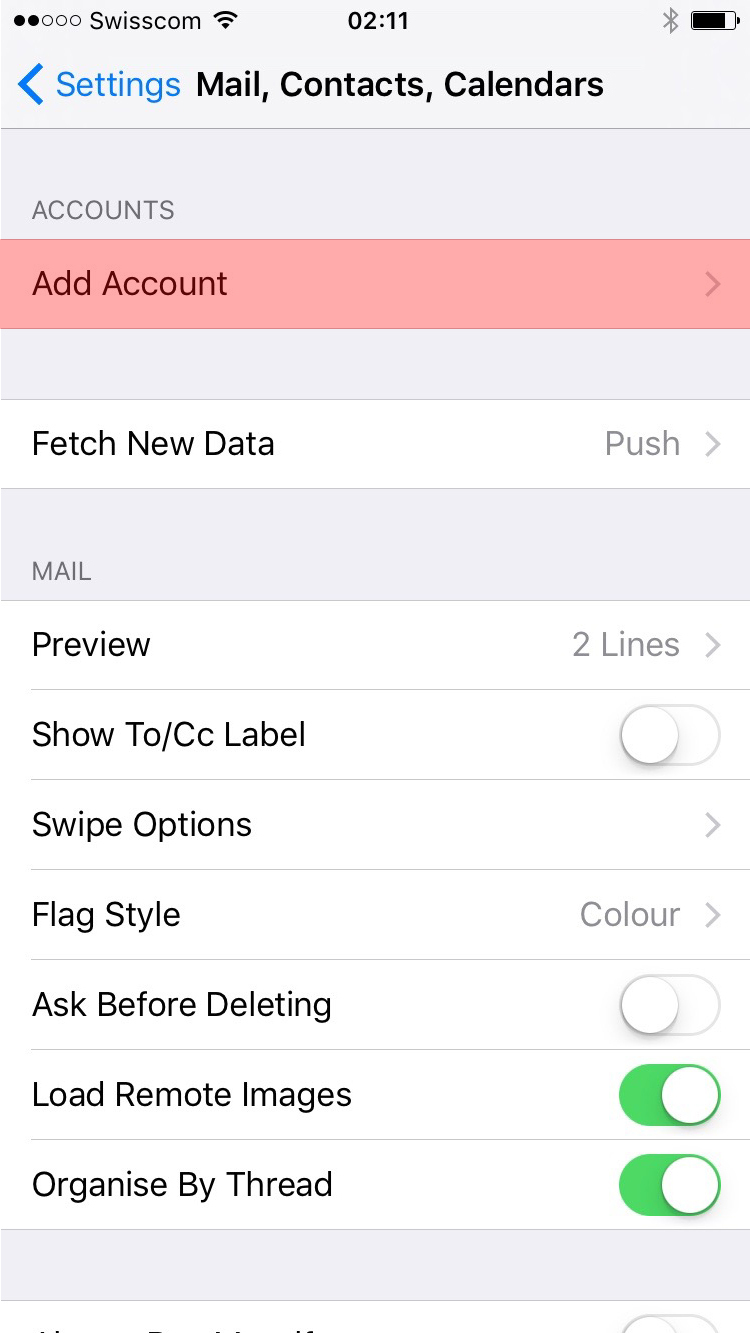
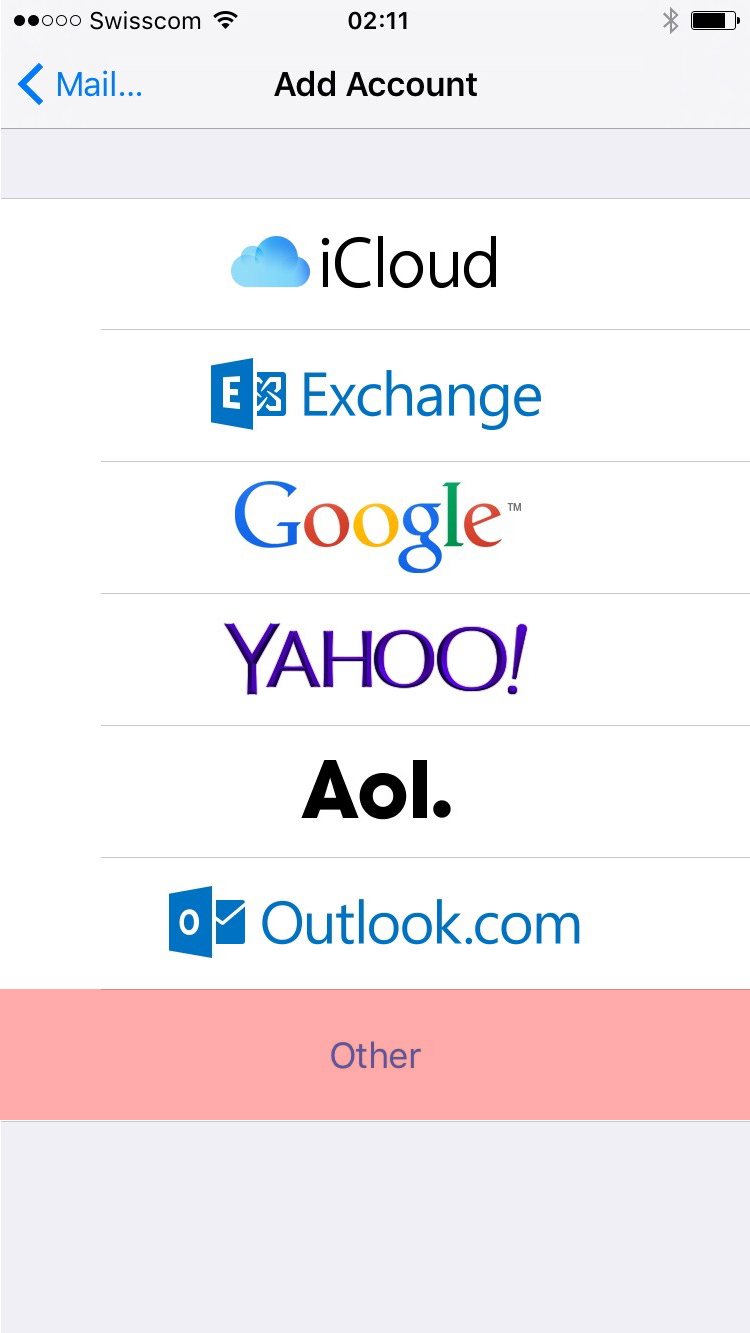
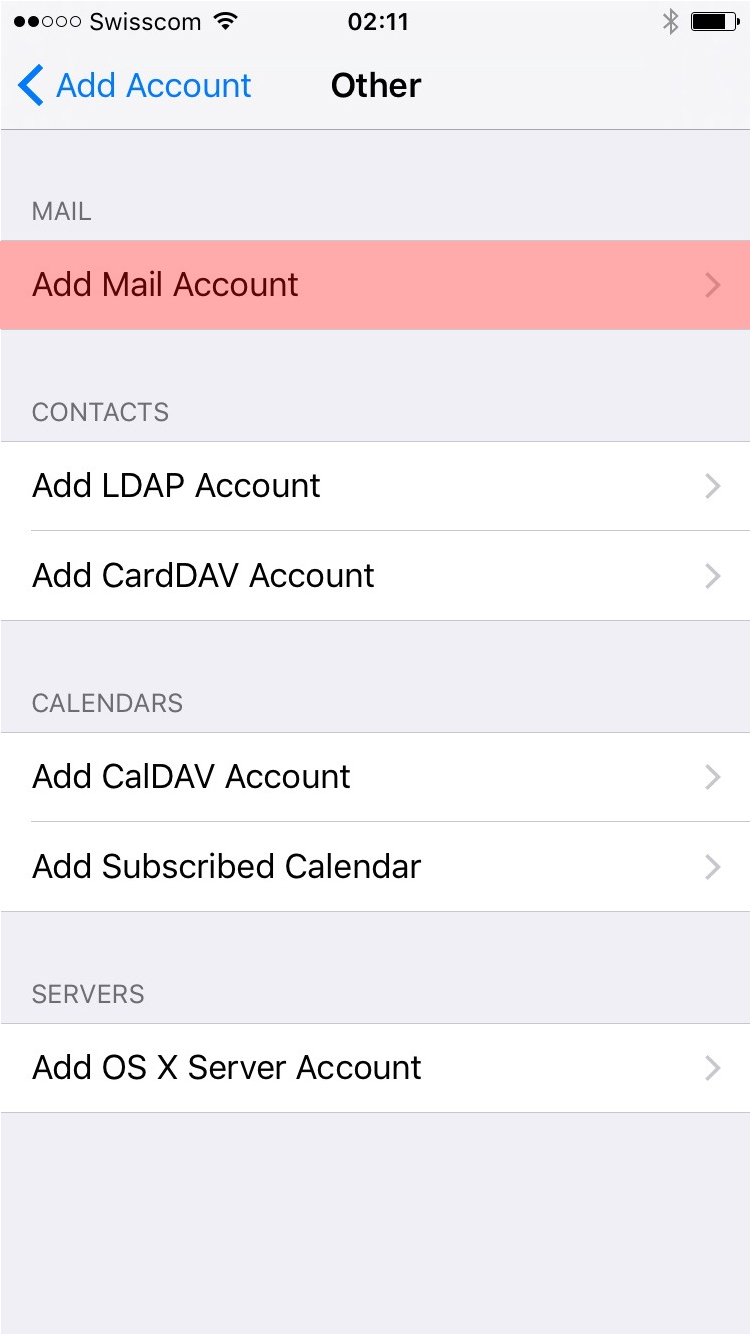
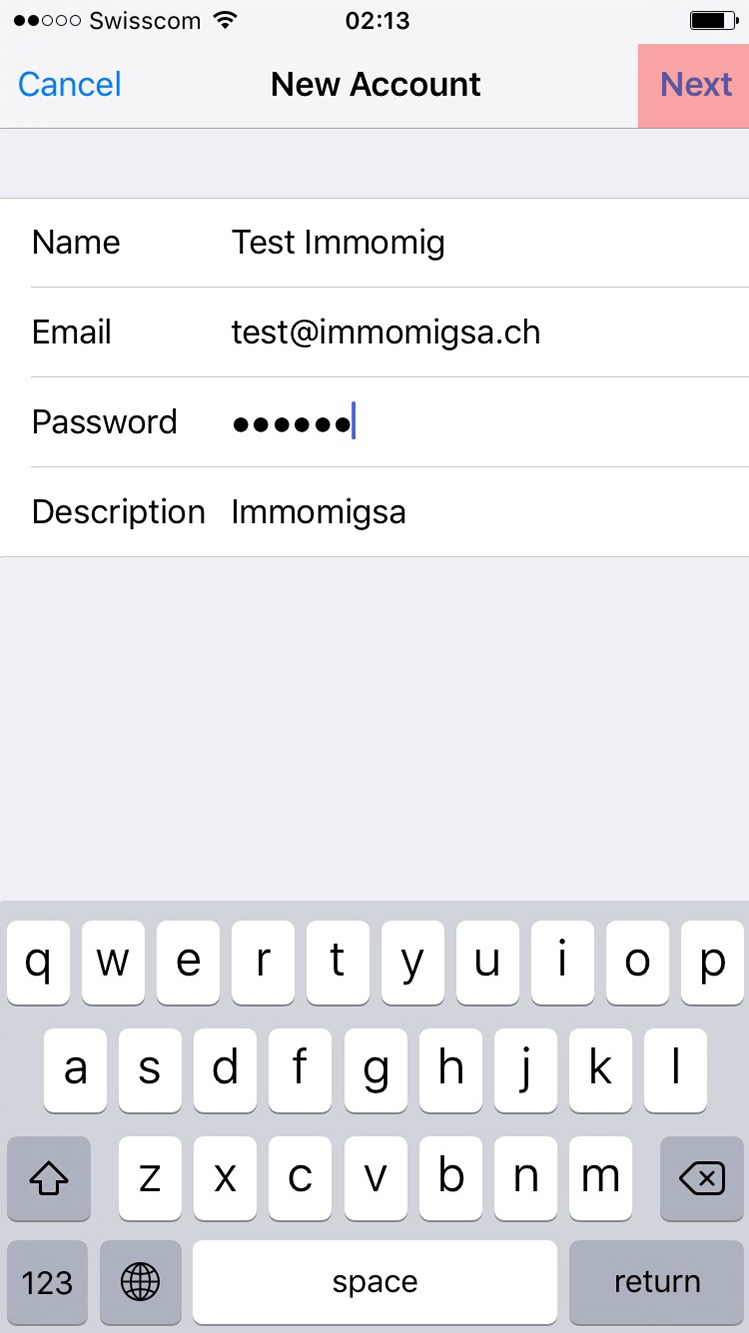
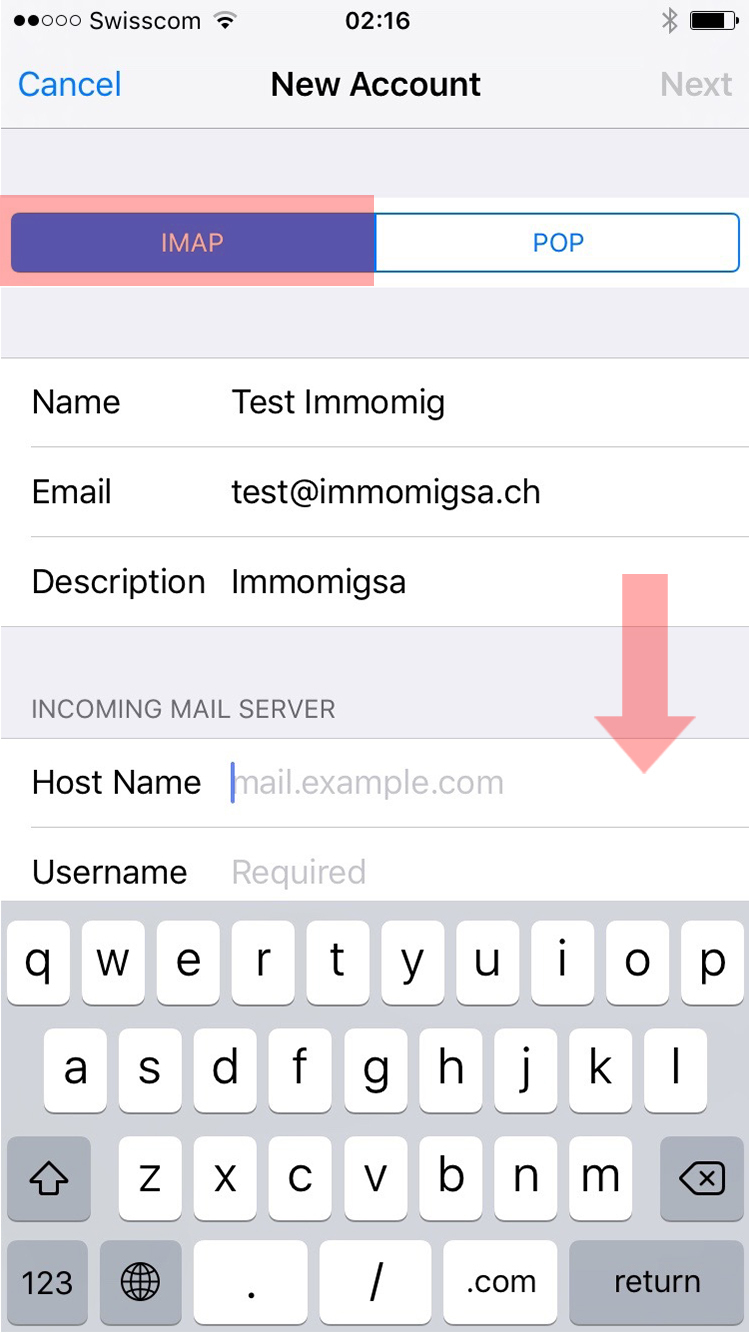
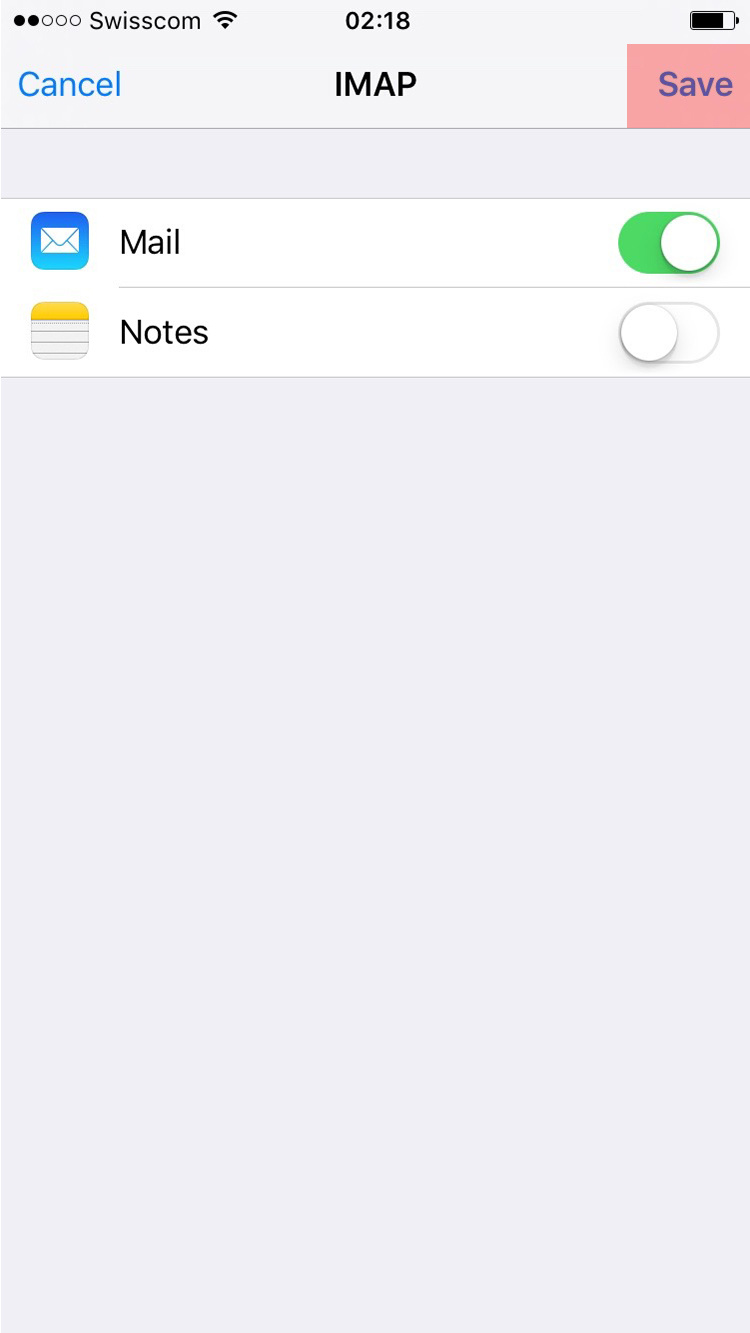
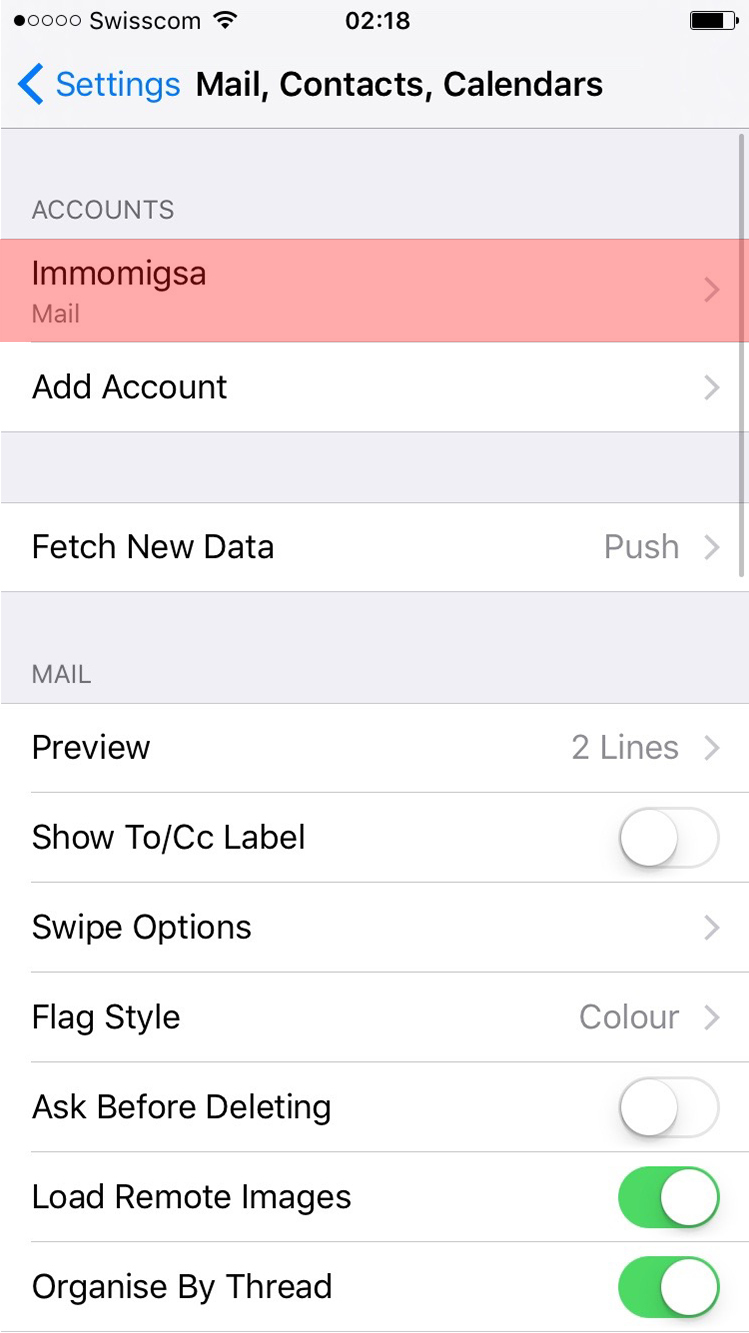
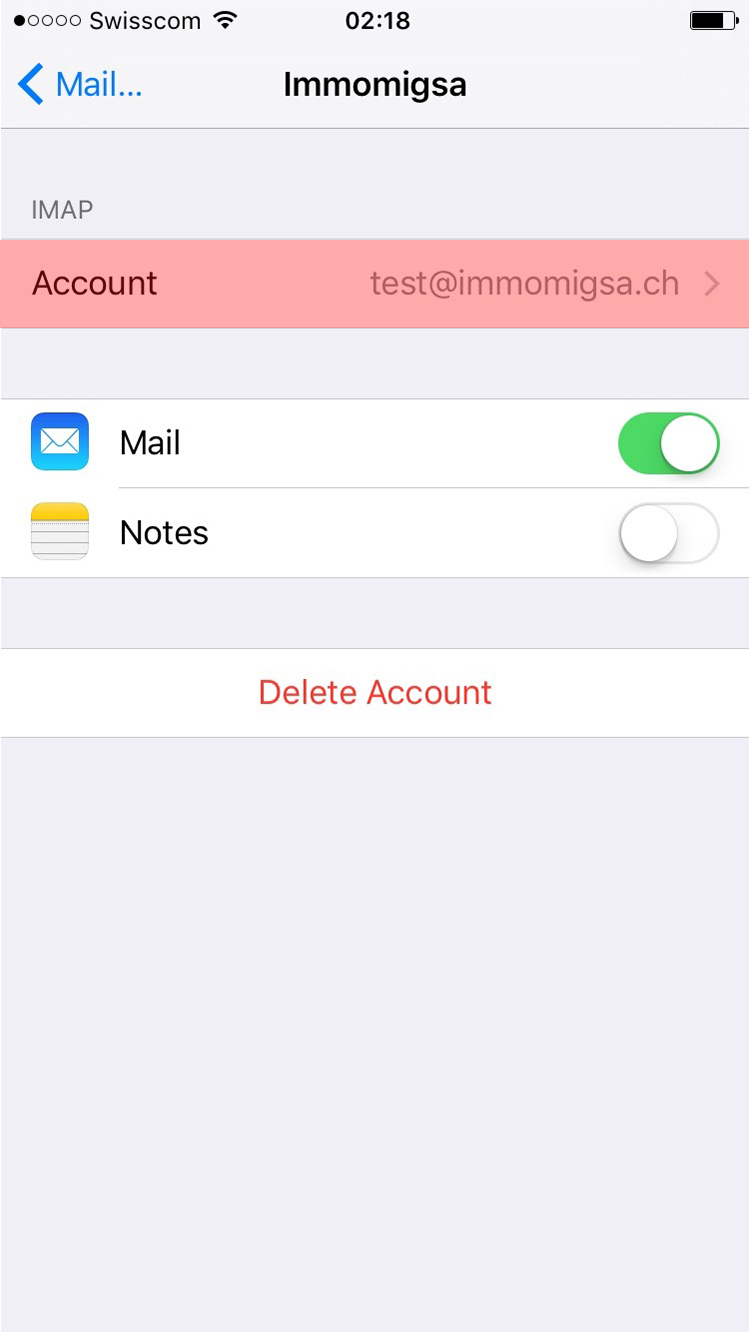
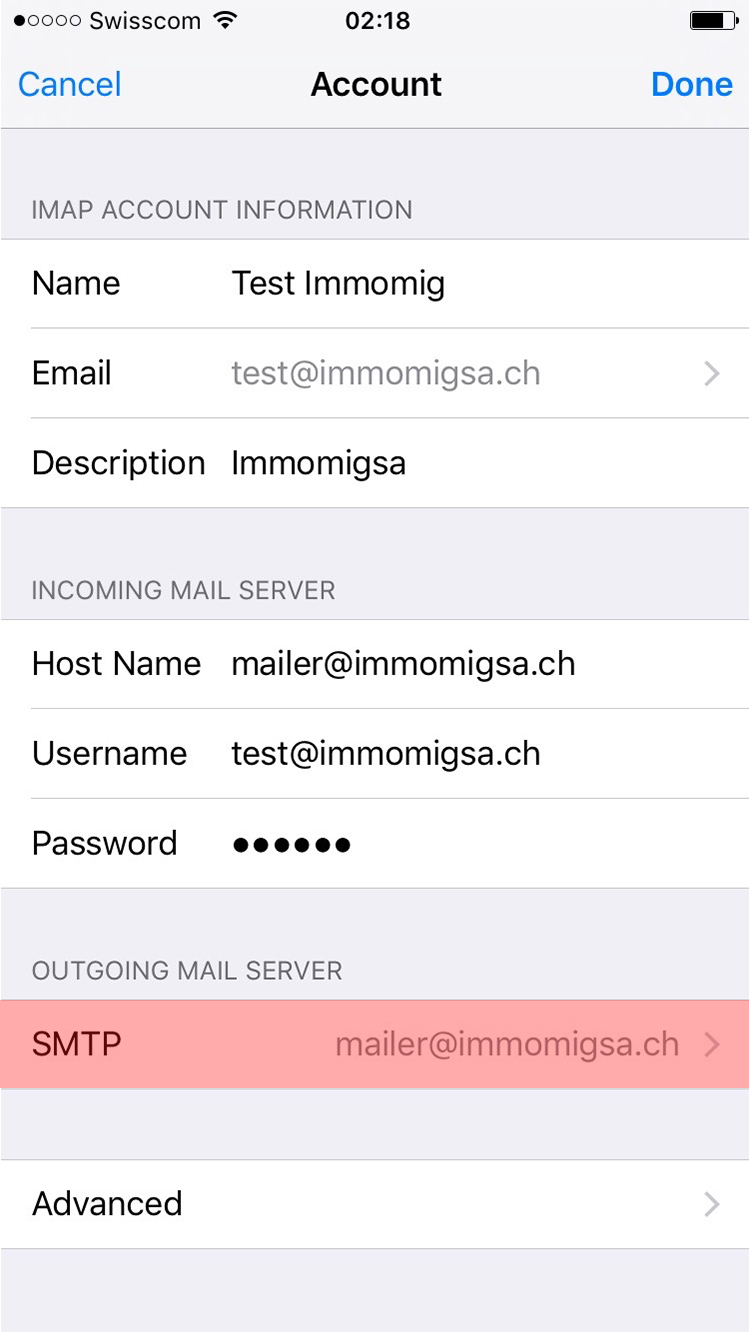
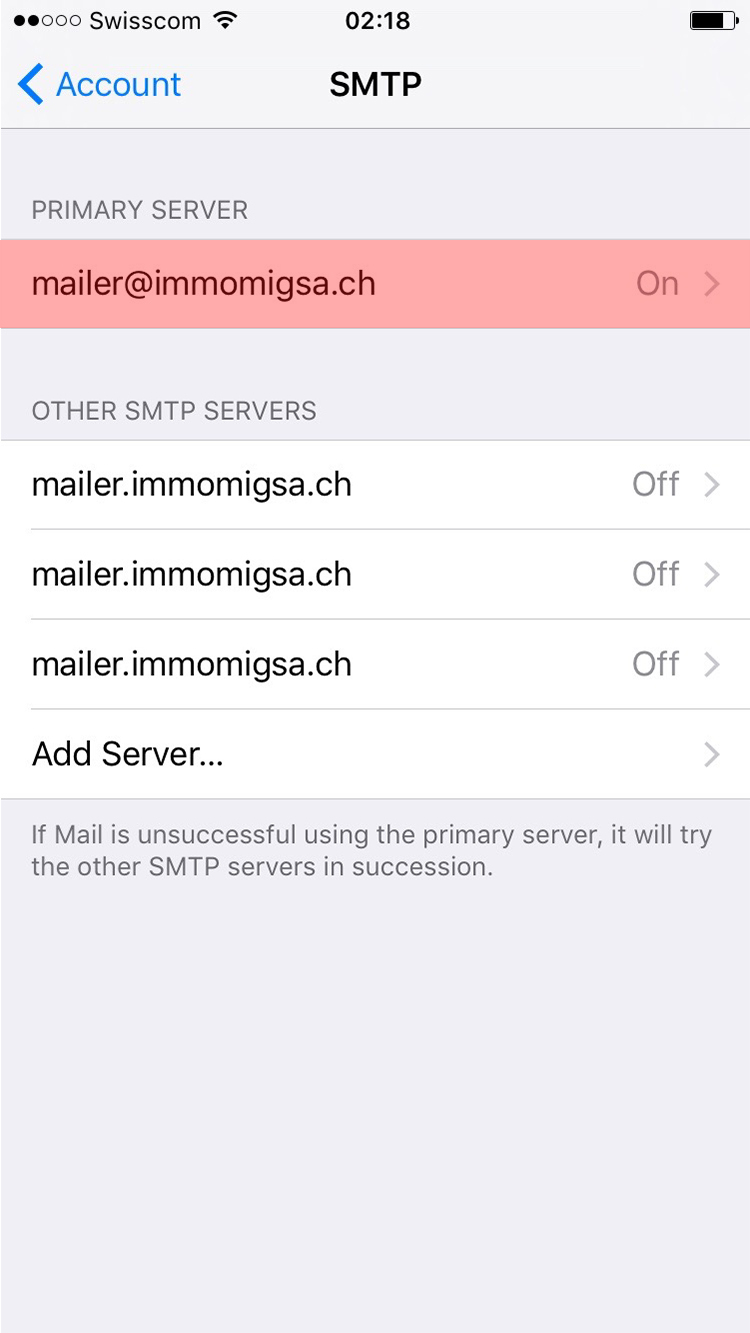
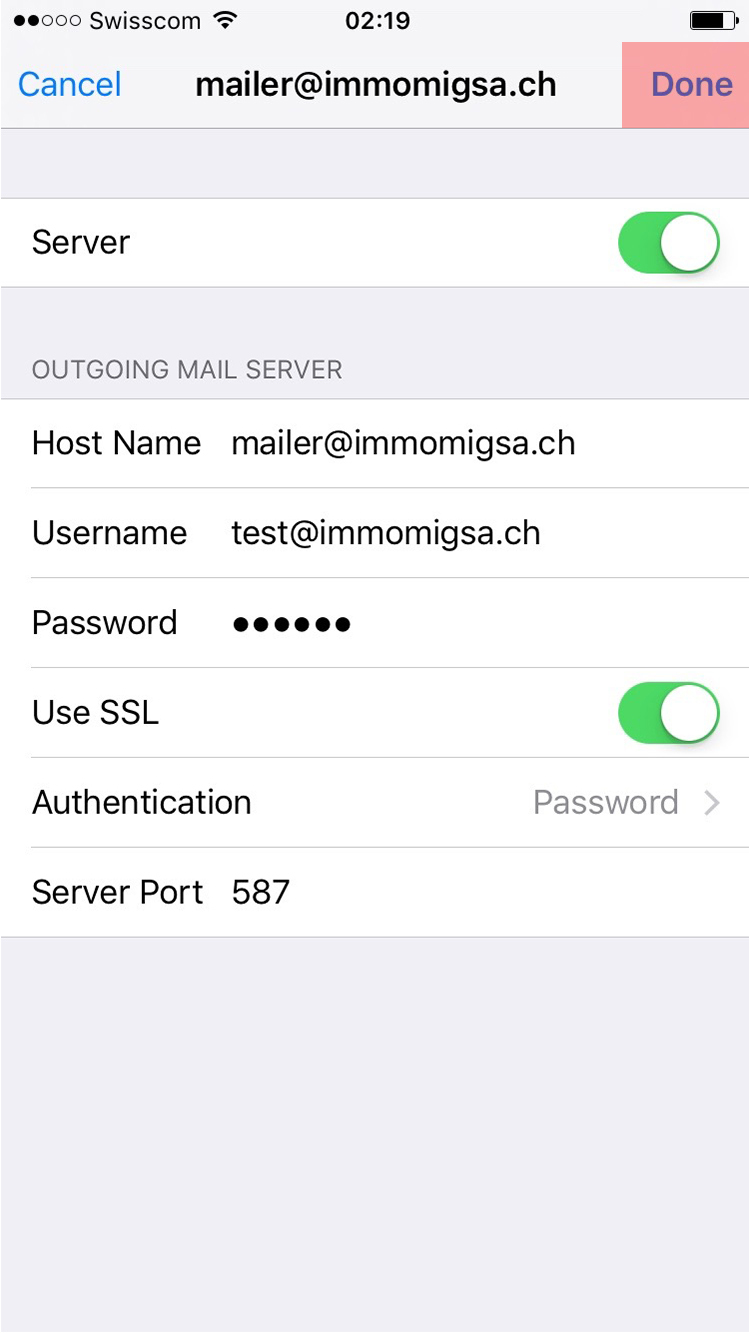
iPhone configuration
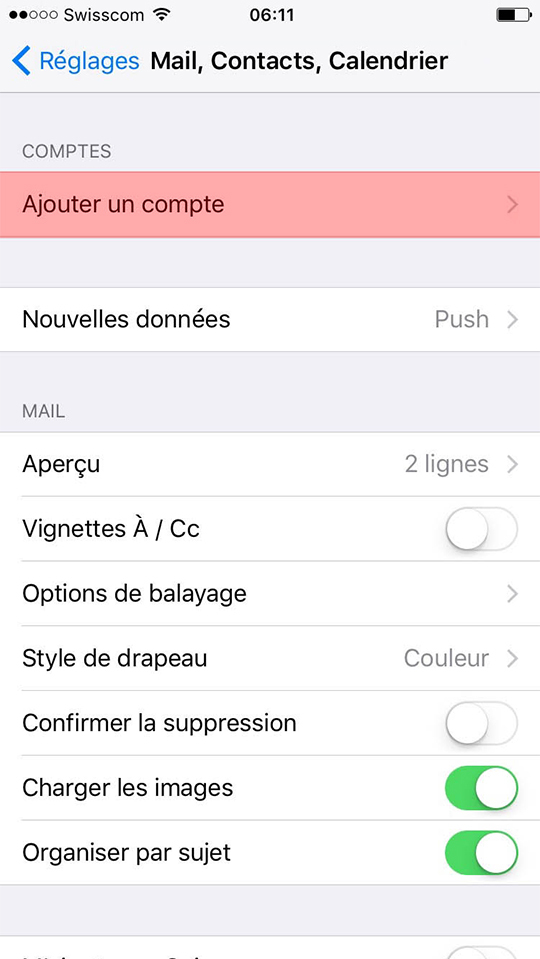
iPhone configuration
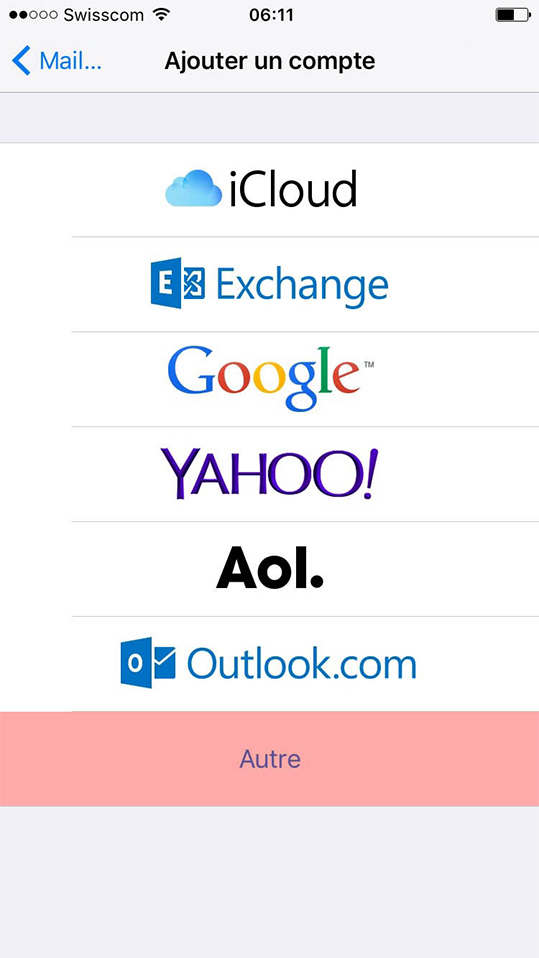
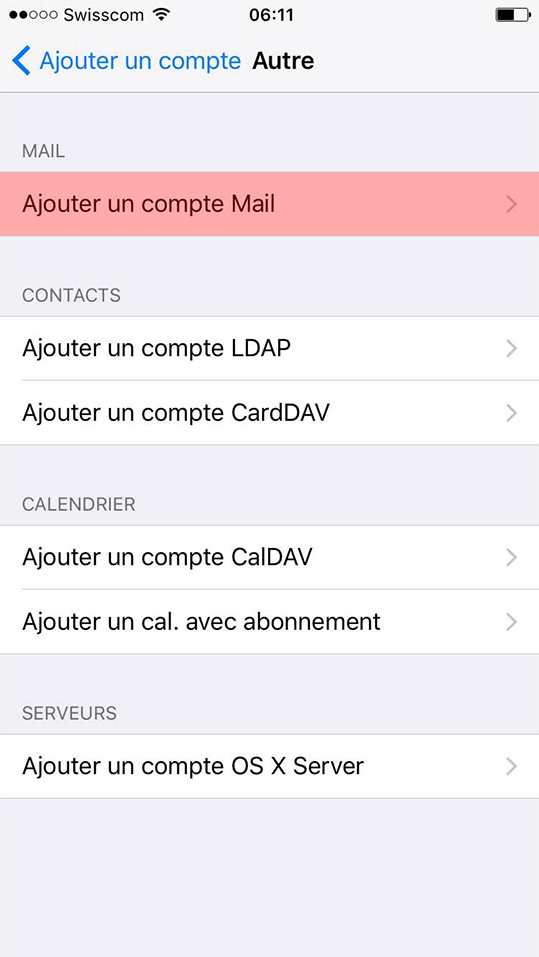
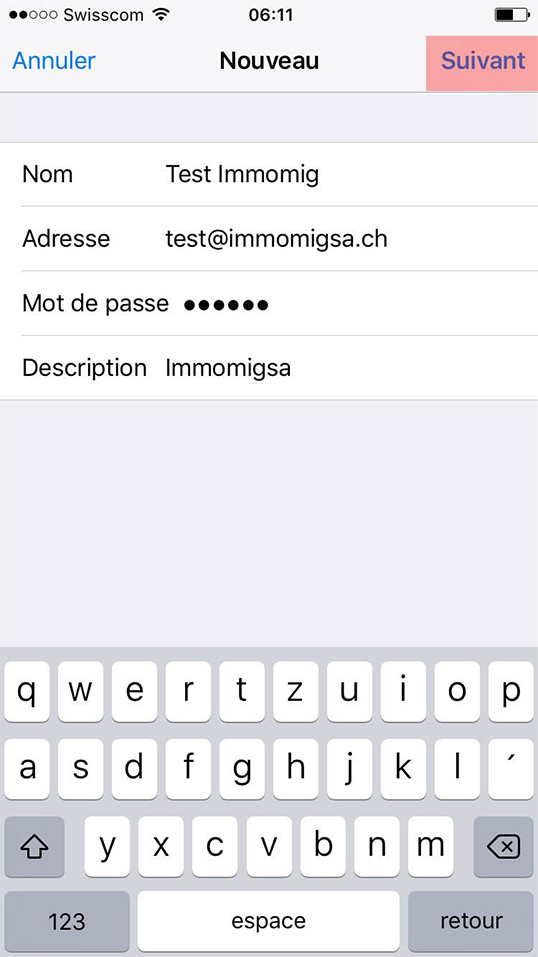
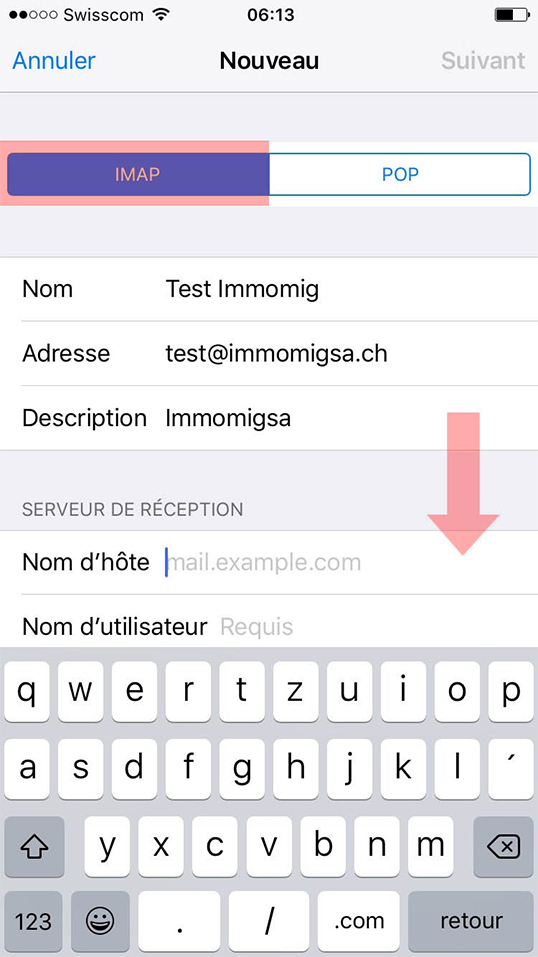
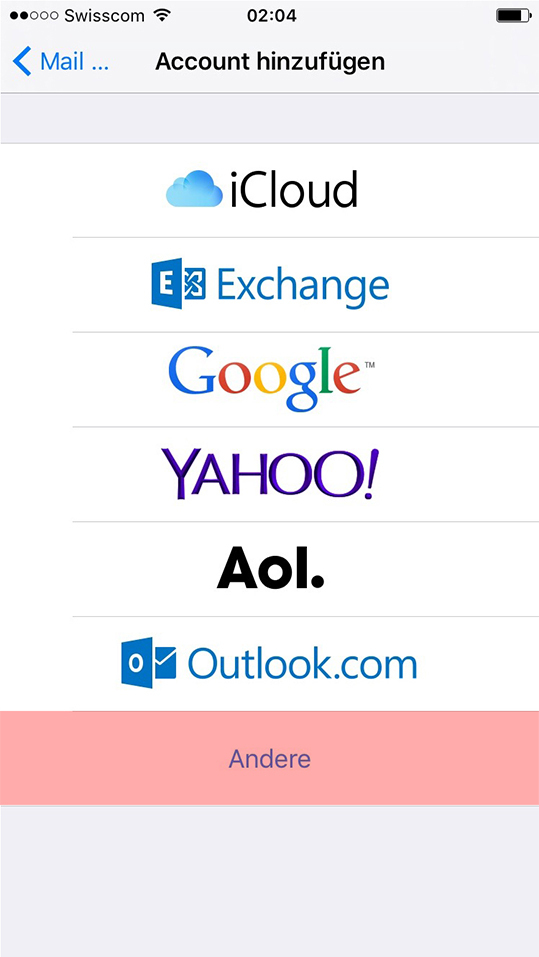
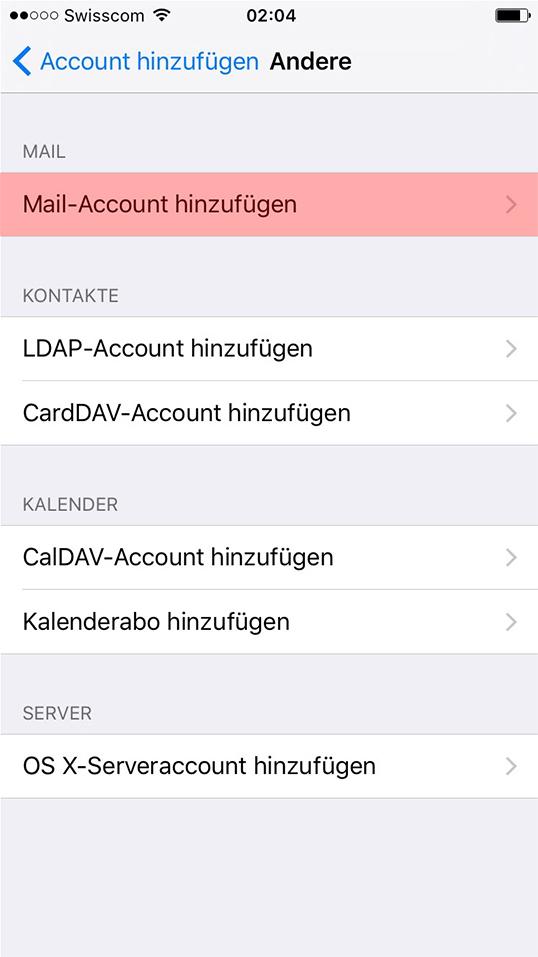
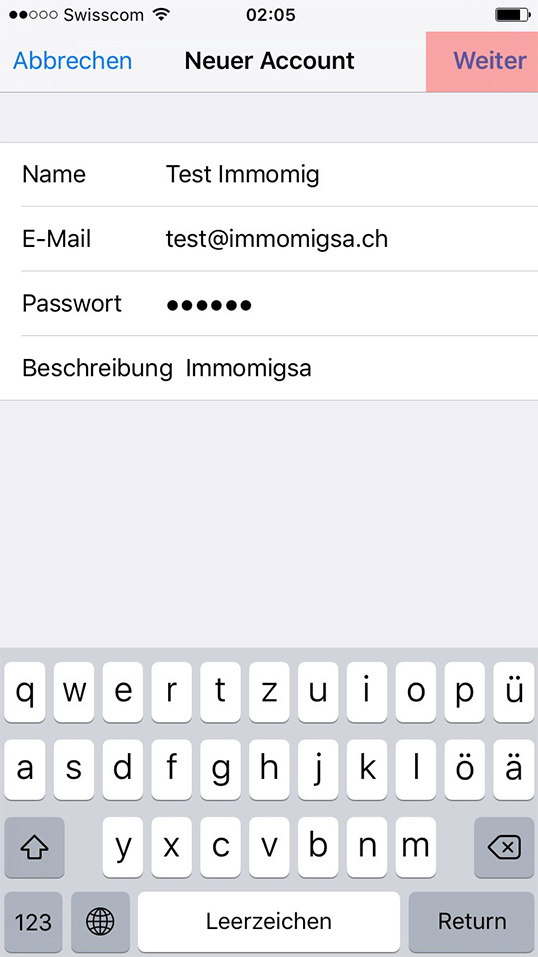
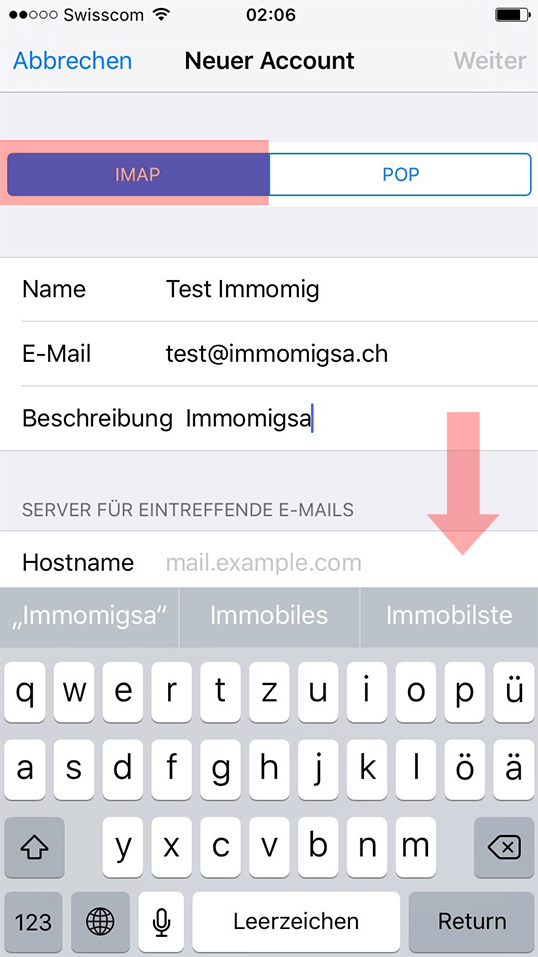
POP Configuration
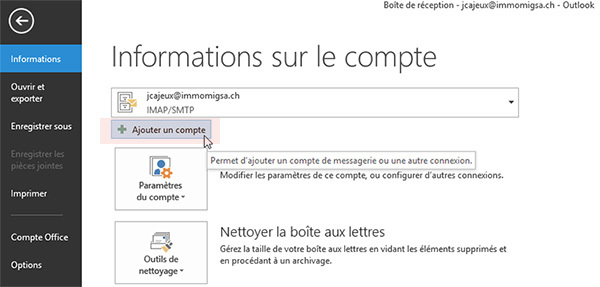
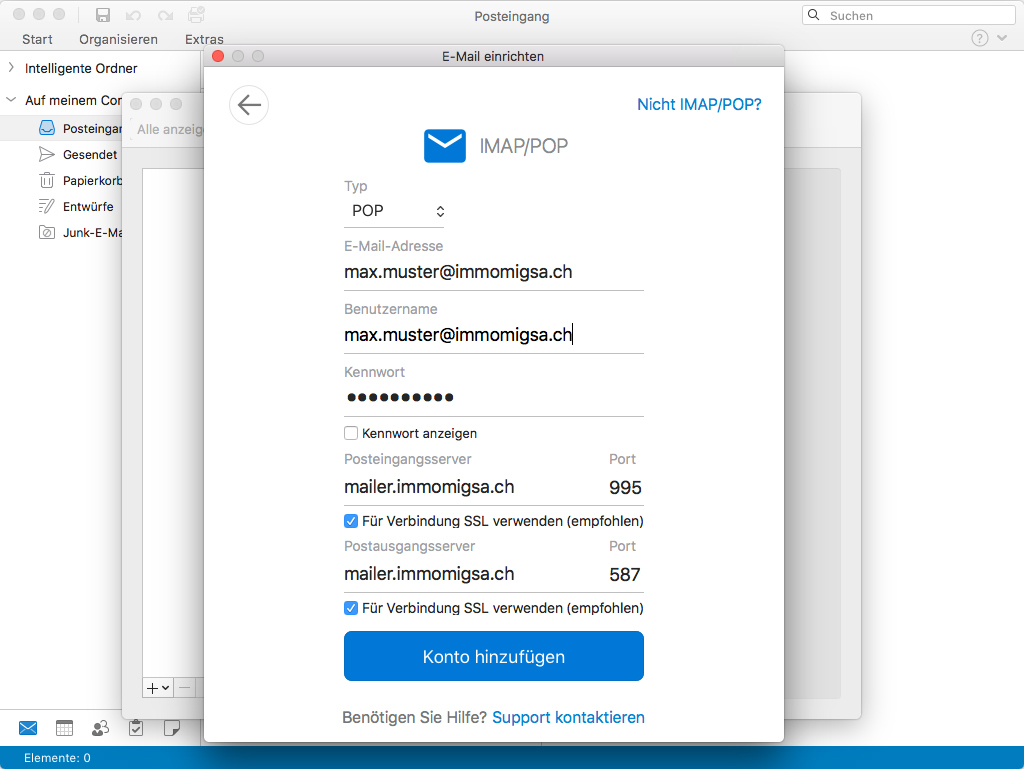
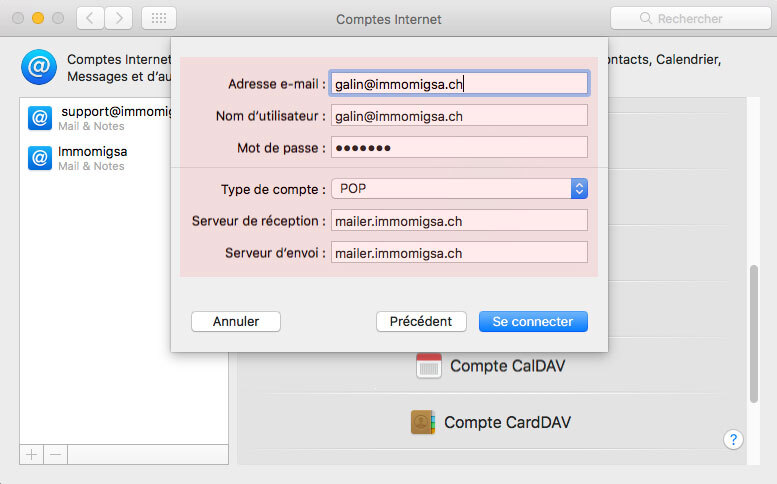
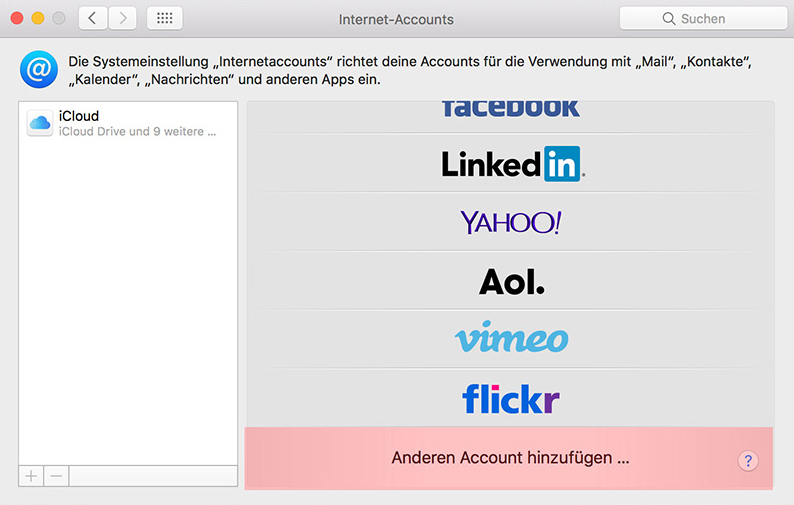
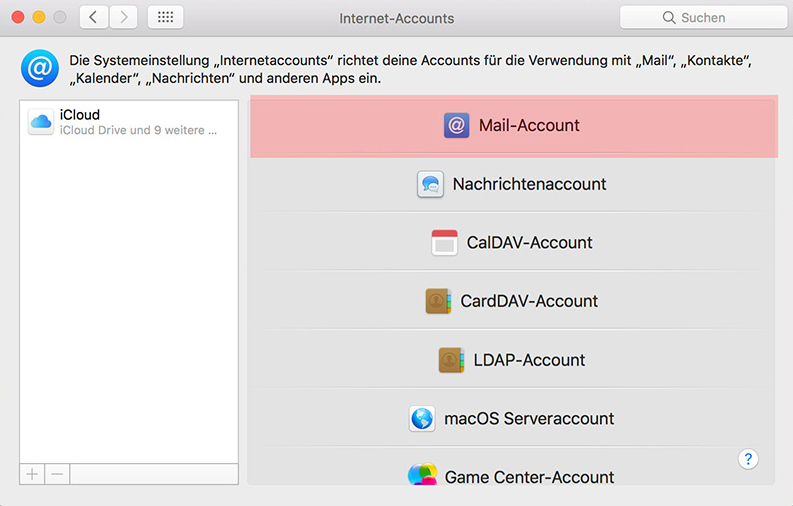
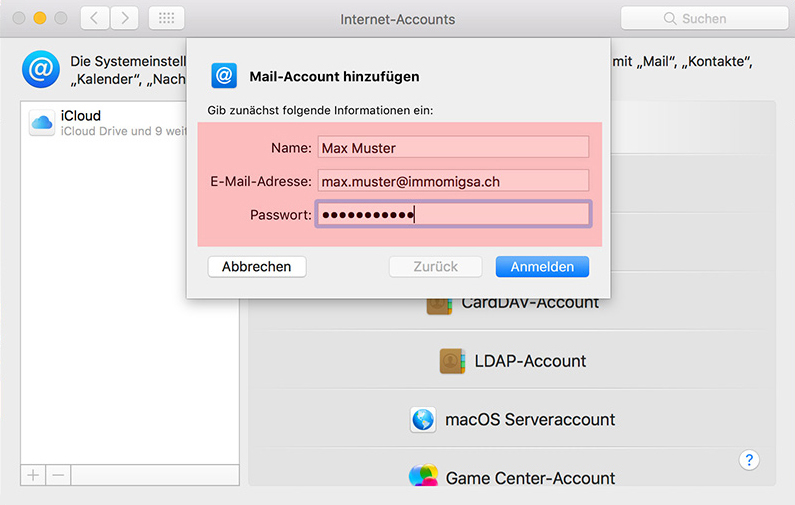
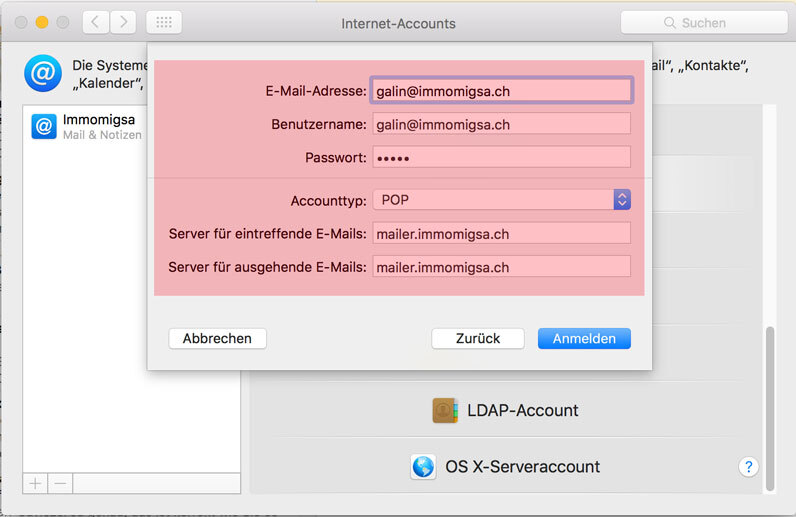
Apple Mac OS X Mail (POP) configuration
Apple Mac OS X Mail (POP) configuration